Qt Quick Controls 提供可以用於構建 Qt Quick 完整界麵的一套控件。模塊在 Qt 5.7 引入。
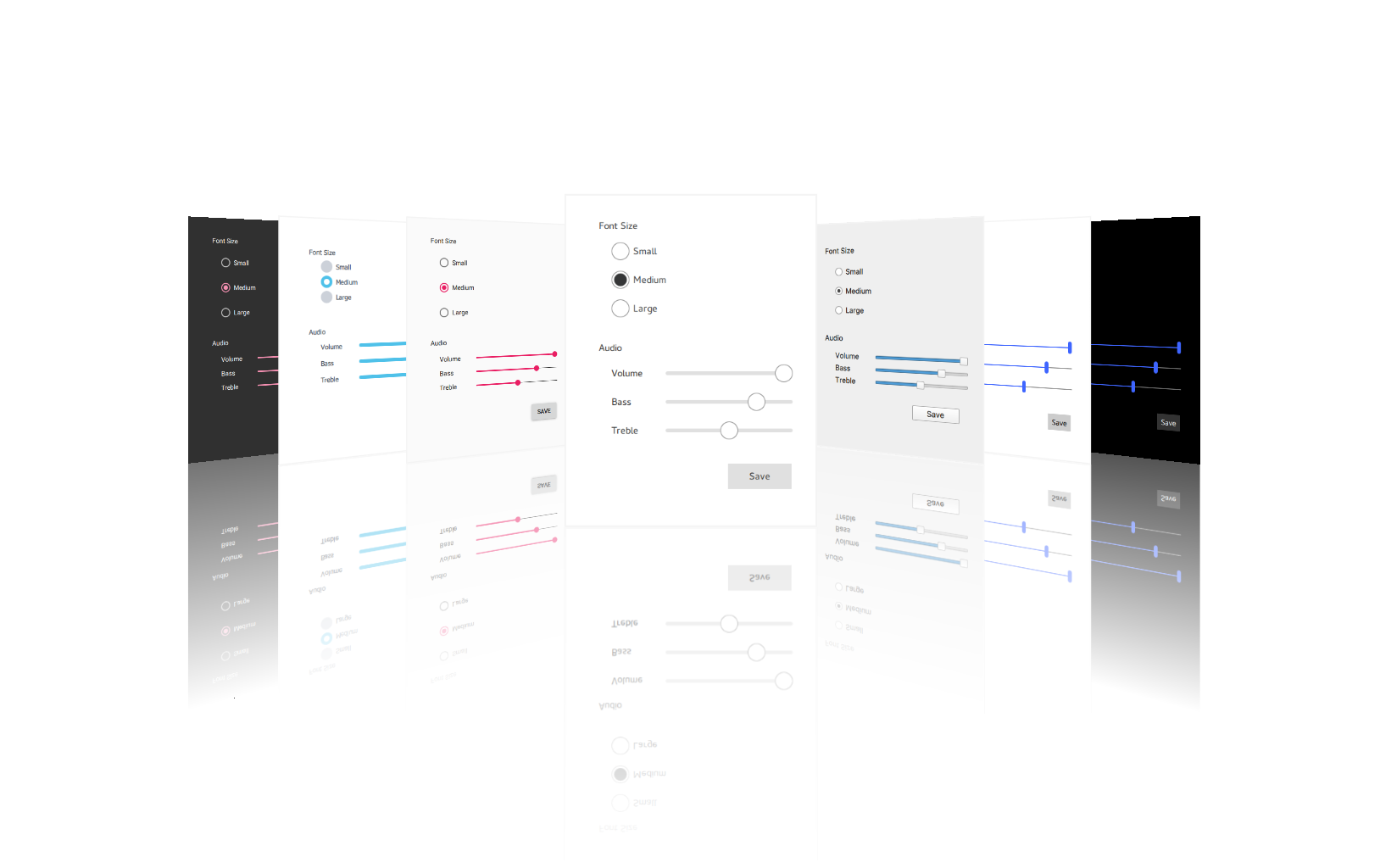
Qt Quick Controls 帶有風格選擇。見 風格化 Qt Quick Controls 瞭解更多細節。
模塊的 QML 類型是可用的透過
QtQuick.Controls
導入。要使用類型,添加以下 import 語句到 .qml 文件:
import QtQuick.Controls
使用 Qt 模塊的 C++ API 要求直接 (或透過其它依賴) 鏈接到模塊庫。幾個構建工具對此有專用支持,包括 CMake and qmake .
使用
find_package()
命令定位所需模塊組件在
Qt6
包:
find_package(Qt6 REQUIRED COMPONENTS QuickControls2)
target_link_libraries(mytarget PRIVATE Qt6::QuickControls2)
更多細節,見 構建采用 CMake 概述。
要配置采用 qmake 構建模塊,添加模塊作為值為
QT
變量在工程的 .pro 文件:
QT += quickcontrols2
The
Qt Image Formats
模塊是推薦的,但不要求。它提供支持為
.webp
格式用於
想象風格
.
Qt Quick Controls 的完整列錶,見 QML 類型 .
| Abstract base type providing functionality common to buttons | |
| Push-button that can be clicked to perform a command or answer a question | |
| Check button that can be toggled on or off | |
| Check button that triggers when held down long enough | |
| Exclusive radio button that can be toggled on or off | |
| A push-button control with rounded corners that can be clicked by the user | |
| Button that can be toggled on or off | |
| Button with a look suitable for a ToolBar |
| Styled top-level window with support for a header and footer | |
| Abstract base type providing functionality common to containers | |
| Visual frame for a logical group of controls | |
| Visual frame and title for a logical group of controls | |
| Provides a horizontal header view to accompany a TableView | |
| Styled page control with support for a header and footer | |
| Provides a background matching with the application style and theme | |
| 可捲動視圖 | |
| Lays out items with a draggable splitter between each item | |
| Provides a stack-based navigation model | |
| Enables the user to navigate pages by swiping sideways | |
| Allows the user to switch between different views or subtasks | |
| Container for context-sensitive controls | |
| Offers a vertical header view to accompany a TableView |
| Item delegate with a check indicator that can be toggled on or off | |
| Basic item delegate that can be used in various views and controls | |
| Exclusive item delegate with a radio indicator that can be toggled on or off | |
| 可輕掃項委托 | |
| Item delegate with a switch indicator that can be toggled on or off | |
| A delegate that can be assigned to a TreeView |
| Indicates background activity, for example, while content is being loaded | |
| Indicates the currently active page | |
| Indicates the progress of an operation | |
| Vertical or horizontal interactive scroll bar | |
| Vertical or horizontal non-interactive scroll indicator |
| Combined button and popup list for selecting options | |
| Circular dial that is rotated to set a value | |
| Used to select a range of values by sliding two handles along a track | |
| Used to select a value by sliding a handle along a track | |
| 多行文本輸入區域 | |
| 單行文本輸入字段 | |
| Spinnable wheel of items that can be selected |
| Popup that can be used as a context menu or popup menu | |
| Provides a window menu bar | |
| Presents a drop-down menu within a MenuBar | |
| Presents an item within a Menu |
| Side panel that can be opened and closed using a swipe gesture | |
| Provides a stack-based navigation model | |
| Enables the user to navigate pages by swiping sideways | |
| Allows the user to switch between different views or subtasks | |
| Button with a look suitable for a TabBar |
| Popup dialog with standard buttons and a title, used for short-term interaction with the user | |
| Side panel that can be opened and closed using a swipe gesture | |
| Popup that can be used as a context menu or popup menu | |
| Base type of popup-like user interface controls | |
| Provides tool tips for any control |
| Separates a group of items in a menu from adjacent items | |
| Separates a group of items in a toolbar from adjacent items |
Qt Quick Controls 2.0 was introduced in Qt 5.7. Subsequent minor Qt releases increment the import version of the Qt Quick Controls modules by one, until Qt 5.12, where the import versions match Qt's minor version.
In Qt 6, both the major and minor versions match, and version numbers may be omitted from imports in QML. If the version is omitted, the latest version will be used.
The experimental Qt Labs modules use import version 1.0.
Qt
|
QtQuick
|
QtQuick.Controls
,
QtQuick.Controls.Material
,
QtQuick.Controls.Universal
,
QtQuick.Templates
|
Qt.labs.platform
|
|---|---|---|---|
| 5.7 | 2.7 | 2.0 | 1.0 |
| 5.8 | 2.8 | 2.1 | 1.0 |
| 5.9 | 2.9 | 2.2 | 1.0 |
| 5.10 | 2.10 | 2.3 | 1.0 |
| 5.11 | 2.11 | 2.4 | 1.0 |
| 5.12 | 2.12 | 2.12 | 1.0 |
| 6.0 | 6.0 | 6.0 | 1.0 |
| ... | ... | ... | ... |
Due to how Qt Quick Controls are implemented, new properties that are added may clash with any user-defined properties of the same name. For example, the following snippet will result in an error:
import QtQuick.Controls 2.13
ApplicationWindow {
    // ...
    ComboBox {
        anchors.centerIn: parent
        // As currentValue was added in 2.14, the versioned import above
        // should cause this property to be used, but instead an error is produced:
        // "Cannot override FINAL property"
        property int currentValue: 0
    }
}
These properties should be renamed to avoid the conflict.
Qt Quick Controls was originally written with touch interfaces as the primary focus. While it is already possible to develop desktop interfaces, work is ongoing to provide a more native look and feel.
Qt Quick Controls 的變化 列齣瞭 Qt 的 Qt 6 係列在模塊 API 和功能上所做齣的重要改變。
Qt Quick Controls 在商業許可下是可用的來自 Qt 公司 。此外,它是可用的根據 GNU LGPL (次一般公共許可) 第 3 版 ,或 GNU GPL (一般公共許可) 第 2 版 。見 Qt 許可 進一步瞭解細節。
此外,Qt Quick Controls 潛在包含的第 3 方模塊遵循下列準許許可:
| MIT 許可 |
