用于显示和打印 JSON、文本及 PDF 文件的 Widget 应用程序。
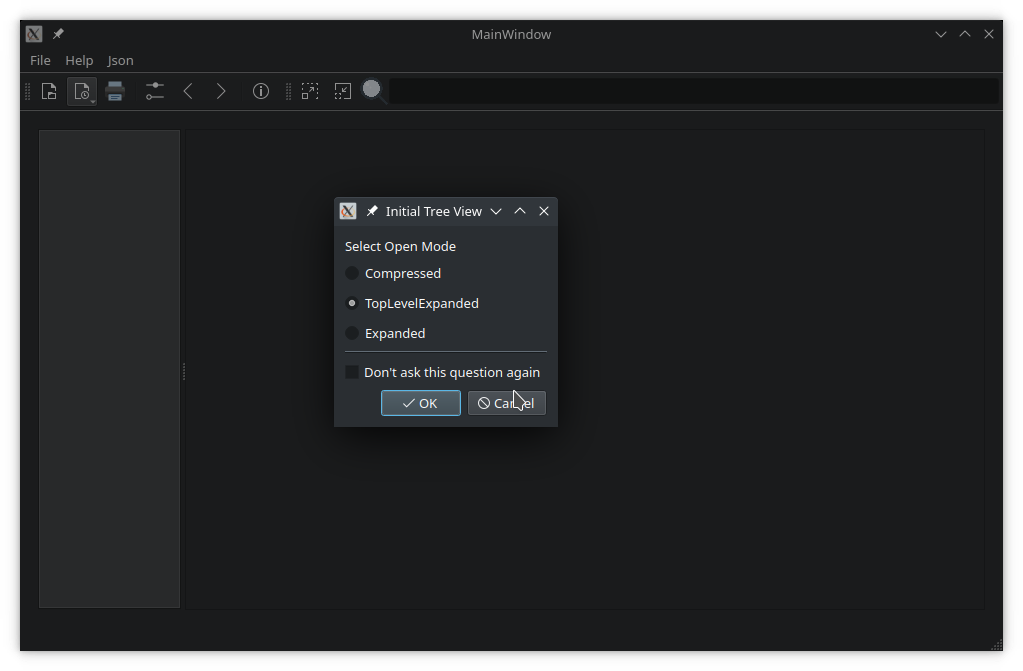
文档查看器 演示如何使用 QMainWindow with static and dynamic toolbars, menus, and actions. Additionally, it demonstrates the following features in widget-based applications:
要运行范例从 Qt Creator ,打开 欢迎 模式,然后选择范例从 范例 。更多信息,见 Qt Creator:教程:构建并运行 .
The application and its main window is constructed in
main.cpp
. The main() function uses
QCommandLineParser
to process command line arguments –
help
,
version
, and an optional positional argument,
file
. If the user provided a path to a file when launching the application, the main window opens it:
int main(int argc, char *argv[])
{
    QApplication app(argc, argv);
    QCoreApplication::setOrganizationName("QtProject"_L1);
    QCoreApplication::setApplicationName("DocumentViewer"_L1);
    QCoreApplication::setApplicationVersion("1.0"_L1);
    Translator mainTranslator;
    mainTranslator.setBaseName("docviewer"_L1);
    mainTranslator.install();
    QCommandLineParser parser;
    parser.setApplicationDescription(Tr::tr("A viewer for JSON, PDF and text files"));
    parser.addHelpOption();
    parser.addVersionOption();
    parser.addPositionalArgument("File"_L1, Tr::tr("JSON, PDF or text file to open"));
    parser.process(app);
    const QStringList &positionalArguments = parser.positionalArguments();
    const QString &fileName = (positionalArguments.count() > 0) ? positionalArguments.at(0)
                                                                : QString();
    MainWindow w(mainTranslator);
    // Start application only if plugins are available
    if (!w.hasPlugins()) {
        QMessageBox::critical(nullptr,
                              Tr::tr("No viewer plugins found"),
                              Tr::tr("Unable to load viewer plugins. Exiting application."));
        return 1;
    }
    w.show();
    if (!fileName.isEmpty())
        w.openFile(fileName);
    return app.exec();
}
The
MainWindow
class provides an application screen with menus, actions, and a toolbar. It can open a file, automatically detecting its content type. It also maintains a list of previously opened files, using
QSettings
to store and reload settings when launched. The MainWindow creates a suitable
viewer
for the opened file, based on its content type, and provides support for printing a document.
MainWindow's constructor initializes the user interface created in Qt Designer. The
mainwindow.ui
file provides a
QTabWidget
on the left, showing bookmarks and thumbnails. On the right, there is a
QScrollArea
for viewing file content.
The
ViewerFactory
class manages viewers for known file types. These viewers are implemented as plugins. When an instance of a ViewerFactory is created, pointers to the view area and the main window are passed to the constructor:
m_factory.reset(new ViewerFactory(ui->viewArea, this));
ViewerFactory loads all available plugins on construction. It provides a public API to query the loaded plugins, their names, and supported MIME types:
    using ViewerList = QList<AbstractViewer *>;
    QStringList viewerNames(bool showDefault = false) const;
    ViewerList viewers() const;
    AbstractViewer *findViewer(const QString &viewerName) const;
    AbstractViewer *defaultViewer() const;
    QStringList supportedMimeTypes() const;
The
viewer()
function returns a pointer to the plugin suitable to open the
QFile
passed as an argument:
m_viewer = m_factory->viewer(file);
If the application settings contain a section for the viewer, it's passed to the viewer's virtual
restoreState()
函数:
void MainWindow::restoreViewerSettings()
{
    if (!m_viewer)
        return;
    QSettings settings;
    settings.beginGroup(settingsViewers);
    QByteArray viewerSettings = settings.value(m_viewer->viewerName(), QByteArray()).toByteArray();
    settings.endGroup();
    if (!viewerSettings.isEmpty())
        m_viewer->restoreState(viewerSettings);
}
Then, the standard UI assets are passed to the viewer and the main scroll area is set to show the viewer's display widget:
    m_viewer->initViewer(ui->actionBack, ui->actionForward, ui->menuHelp->menuAction(), ui->tabWidget);
    restoreViewerSettings();
    ui->scrollArea->setWidget(m_viewer->widget());
    return true;
}
AbstractViewer
provides a generalized API to view, save, and print a document. Properties of both the document and the viewer can be queried:
AbstractViewer provides protected methods for derived classes to create actions and menus on the main window. In order to display these assets on the main window, they are parented to it. AbstractViewer is responsible for removing and destroying the UI assets it creates. It inherits from QObject to implement signals and slots.
void uiInitialized();
This signal is emitted after a viewer receives all necessary information about UI assets on the main window.
void printingEnabledChanged(bool enabled);
This signal is emitted when document printing is either enabled or disabled. This happens after a new document was successfully loaded, or, for example, all content was removed.
void showMessage(const QString &message, int timeout = 8000);
This signal is emitted to display a status message to the user.
void documentLoaded(const QString &fileName);
This signal notifies the application that a document was successfully loaded.
TxtViewer
is a simple text viewer, inheriting from AbstractViewer. It supports editing text files, copy/cut and paste, printing, and saving changes.
class TxtViewer : public ViewerInterface
{
    Q_OBJECT
    Q_PLUGIN_METADATA(IID "org.qt-project.Qt.Examples.DocumentViewer.ViewerInterface" FILE "txtviewer.json")
    Q_INTERFACES(ViewerInterface)
The class definition starts with the
Q_OBJECT
macro, which handles signals and slots. It is followed by the
Q_PLUGIN_METADATA
and
Q_INTERFACES
macros which are necessary to register the plugin.
类继承自
ViewerInterface
, which inherits from
AbstractViewer
。
ViewerInterface
class is used to provide an interface between the main window application and the plugin.
QPluginLoader
also requires the file txtviewer.json, which has to contain the plugin's key:
{ "Keys": [ "txtviewer" ] }
The class defines no constructor, which means that only a standard constructor without arguments is available. All other functions, including the destructor, re-implement virtual functions of
ViewerInterface
. They are used to exchange data, information, and instructions with the main application.
public:
    TxtViewer();
    ~TxtViewer() override;
    void init(QFile *file, QWidget *parent, QMainWindow *mainWindow) override;
    QString viewerName() const override { return QLatin1StringView(staticMetaObject.className()); };
    QStringList supportedMimeTypes() const override;
    bool saveDocument() override { return saveFile(m_file.get()); };
    bool saveDocumentAs() override;
    bool hasContent() const override;
    QByteArray saveState() const override { return {}; }
    bool restoreState(QByteArray &) override { return true; }
    bool supportsOverview() const override { return false; }
    void retranslate() override;
#ifdef DOCUMENTVIEWER_PRINTSUPPORT
protected:
    void printDocument(QPrinter *printer) const override;
#endif // DOCUMENTVIEWER_PRINTSUPPORT
private slots:
    void setupTxtUi();
private:
    void openFile();
    bool saveFile (QFile *file);
    QPlainTextEdit *m_textEdit;
    QMenu *m_editMenu = nullptr;
    QToolBar *m_editToolBar = nullptr;
    QAction *m_cutAct = nullptr;
    QAction *m_copyAct = nullptr;
    QAction *m_pasteAct = nullptr;
};
#include "txtviewer.h"
#include <QFileDialog>
#include <QMainWindow>
#include <QMenu>
#include <QMenuBar>
#include <QPlainTextEdit>
#include <QScrollBar>
#include <QToolBar>
#include <QGuiApplication>
#include <QPainter>
#include <QTextDocument>
#include <QDir>
#ifdef DOCUMENTVIEWER_PRINTSUPPORT
#include <QPrinter>
#include <QPrintDialog>
#endif
using namespace Qt::StringLiterals;
TxtViewer::TxtViewer()
{
    connect(this, &AbstractViewer::uiInitialized, this, &TxtViewer::setupTxtUi);
}
TxtViewer::~TxtViewer() = default;
void TxtViewer::init(QFile *file, QWidget *parent, QMainWindow *mainWindow)
{
    AbstractViewer::init(file, new QPlainTextEdit(parent), mainWindow);
    m_textEdit = qobject_cast<QPlainTextEdit *>(widget());
    setTranslationBaseName("txtviewer"_L1);
}
QStringList TxtViewer::supportedMimeTypes() const
{
    return {"text/plain"_L1};
}
void TxtViewer::setupTxtUi()
{
    m_editMenu = addMenu(tr("&Edit"));
    m_editToolBar = addToolBar(tr("Edit"));
#if QT_CONFIG(clipboard)
    const QIcon cutIcon = QIcon::fromTheme(QIcon::ThemeIcon::EditCut,
                                           QIcon(":/demos/documentviewer/images/cut.png"_L1));
    m_cutAct = new QAction(cutIcon, tr("Cu&t"), this);
    m_cutAct->setShortcuts(QKeySequence::Cut);
    m_cutAct->setStatusTip(tr("Cut the current selection's contents to the "
                            "clipboard"));
    connect(m_cutAct, &QAction::triggered, m_textEdit, &QPlainTextEdit::cut);
    m_editMenu->addAction(m_cutAct);
    m_editToolBar->addAction(m_cutAct);
    const QIcon copyIcon = QIcon::fromTheme(QIcon::ThemeIcon::EditCopy,
                                            QIcon(":/demos/documentviewer/images/copy.png"_L1));
    m_copyAct = new QAction(copyIcon, tr("&Copy"), this);
    m_copyAct->setShortcuts(QKeySequence::Copy);
    m_copyAct->setStatusTip(tr("Copy the current selection's contents to the "
                             "clipboard"));
    connect(m_copyAct, &QAction::triggered, m_textEdit, &QPlainTextEdit::copy);
    m_editMenu->addAction(m_copyAct);
    m_editToolBar->addAction(m_copyAct);
    const QIcon pasteIcon = QIcon::fromTheme(QIcon::ThemeIcon::EditPaste,
                                             QIcon(":/demos/documentviewer/images/paste.png"_L1));
    m_pasteAct = new QAction(pasteIcon, tr("&Paste"), this);
    m_pasteAct->setShortcuts(QKeySequence::Paste);
    m_pasteAct->setStatusTip(tr("Paste the clipboard's contents into the current "
                              "selection"));
    connect(m_pasteAct, &QAction::triggered, m_textEdit, &QPlainTextEdit::paste);
    m_editMenu->addAction(m_pasteAct);
    m_editToolBar->addAction(m_pasteAct);
    menuBar()->addSeparator();
    m_cutAct->setEnabled(false);
    m_copyAct->setEnabled(false);
    connect(m_textEdit, &QPlainTextEdit::copyAvailable, m_cutAct, &QAction::setEnabled);
    connect(m_textEdit, &QPlainTextEdit::copyAvailable, m_copyAct, &QAction::setEnabled);
#endif // QT_CONFIG(clipboard)
    openFile();
    connect(m_textEdit, &QPlainTextEdit::textChanged, this, [&](){
        maybeSetPrintingEnabled(hasContent());
    });
    connect(m_uiAssets.back, &QAction::triggered, m_textEdit, [&](){
        auto *bar = m_textEdit->verticalScrollBar();
        if (bar->value() > bar->minimum())
            bar->setValue(bar->value() - 1);
    });
    connect(m_uiAssets.forward, &QAction::triggered, m_textEdit, [&](){
        auto *bar = m_textEdit->verticalScrollBar();
        if (bar->value() < bar->maximum())
            bar->setValue(bar->value() + 1);
    });
}
We start by including the header files necessary to access all classes used by
TxtViewer
. We also include
txtviewer.h
.
QPrinter
and
QPrintDialog
are only included if print support is enabled on the compilation system.
Note that these headers are not included directly in
mainwindow.h
. Including large headers in other header files can impact build performance. In this case, it would not cause issues, but it is best practice to include only the necessary headers to keep dependencies minimal.
The implementation starts with an empty destructor. It could be completely omitted. It's good practice to implement it empty in order to point out to code readers that nothing needs to be done in the destructor.
The destructor is followed by an initialization function, taking three arguments:
file
, the pointer to the file to be opened and displayed.
parent
, pointing to the
QWidget
inside which the editor shall be placed.
mainWindow
, pointing to the application's main window, where menus and menu bars are handled.
The function calls the base init function of
AbstractViewer
. A new
QPlainTextEdit
widget is created, which will display the file's contents. Then,
TxtViewer
's setup function is connected to the base class'
uiInitialized
信号。
The next function returns the list of mime types, which the text viewer supports. Only plain text is supported.
The last initialization function adds viewer specific UI components like menus, icons, buttons, and tooltips. It uses functionality provided by
AbstractViewer
to make sure that these components are removed from the application's main window, once another file is displayed with another viewer plugin.
void TxtViewer::openFile()
{
    const QString type = tr("open");
    if (!m_file->open(QFile::ReadOnly | QFile::Text)) {
        statusMessage(tr("Cannot read file %1:\n%2.")
                      .arg(QDir::toNativeSeparators(m_file->fileName()),
                           m_file->errorString()), type);
        return;
    }
    QTextStream in(m_file.get());
#if QT_CONFIG(cursor)
    QGuiApplication::setOverrideCursor(Qt::WaitCursor);
#endif
    if (!m_textEdit->toPlainText().isEmpty()) {
        m_textEdit->clear();
        disablePrinting();
    }
    m_textEdit->setPlainText(in.readAll());
#if QT_CONFIG(cursor)
    QGuiApplication::restoreOverrideCursor();
#endif
    statusMessage(tr("File %1 loaded.")
                  .arg(QDir::toNativeSeparators(m_file->fileName())), type);
    maybeEnablePrinting();
}
openFile
opens a file, transfers its contents into the
QPlainTextEdit
, and prints a status message for the user, depending on whether or not the opening was successful.
bool TxtViewer::hasContent() const
{
    return (!m_textEdit->toPlainText().isEmpty());
}
#ifdef DOCUMENTVIEWER_PRINTSUPPORT
void TxtViewer::printDocument(QPrinter *printer) const
{
    if (!hasContent())
        return;
    m_textEdit->print(printer);
}
#endif // DOCUMENTVIEWER_PRINTSUPPORT
bool TxtViewer::saveFile(QFile *file)
{
    QString errorMessage;
    QGuiApplication::setOverrideCursor(Qt::WaitCursor);
    if (file->open(QFile::WriteOnly | QFile::Text)) {
        QTextStream out(file);
        out << m_textEdit->toPlainText();
    } else {
        errorMessage = tr("Cannot open file %1 for writing:\n%2.")
                       .arg(QDir::toNativeSeparators(file->fileName())),
                            file->errorString();
    }
    QGuiApplication::restoreOverrideCursor();
    if (!errorMessage.isEmpty()) {
        statusMessage(errorMessage);
        return false;
    }
    statusMessage(tr("File %1 saved")
                  .arg(QDir::toNativeSeparators(file->fileName())));
    return true;
}
bool TxtViewer::saveDocumentAs()
{
    QFileDialog dialog(mainWindow());
    dialog.setWindowModality(Qt::WindowModal);
    dialog.setAcceptMode(QFileDialog::AcceptSave);
    if (dialog.exec() != QDialog::Accepted)
        return false;
    const QStringList &files = dialog.selectedFiles();
    if (files.isEmpty())
        return false;
    //newFile();
    m_file->setFileName(files.first());
    return saveDocument();
}
void TxtViewer::retranslate()
{
    if (m_editMenu)
        m_editMenu->setTitle(tr("&Edit"));
    if (m_editToolBar)
        m_editToolBar->setWindowTitle(tr("Edit"));
    if (m_cutAct) {
        m_cutAct->setText(tr("Cu&t"));
        m_cutAct->setStatusTip(tr("Cut the current selection's contents to the "
                                "clipboard"));
    }
    if (m_copyAct) {
        m_copyAct->setText(tr("&Copy"));
        m_copyAct->setStatusTip(tr("Copy the current selection's contents to the "
                                 "clipboard"));
    }
    if (m_pasteAct) {
        m_pasteAct->setText(tr("&Paste"));
        m_pasteAct->setStatusTip(tr("Paste the clipboard's contents into the current "
                                  "selection"));
    }
}
The next re-implemented function tells the main application whether or not the viewer plugin is actually displaying content.
If printing is supported on the compiling system, the next section implements it.
The last two re-implementations provide functionality to save the current file or to save it under a new name.
ImageViewer
displays images as supported by
QImageReader
, using a
QLabel
.
In the constructor, we increase the allocation limit of QImageReader to allow for larger photos:
ImageViewer::ImageViewer() : m_formats(imageFormats())
{
    connect(this, &AbstractViewer::uiInitialized, this, &ImageViewer::setupImageUi);
    QImageReader::setAllocationLimit(1024); // MB
}
In the openFile() function, we load the image and determine its size. If it is larger than the screen, we downscale it to screen size, maintaining the aspect ratio. This calculation has to be done in native pixels, and the device pixel ratio needs to be set on the resulting pixmap for it to appear crisp:
void ImageViewer::openFile()
{
#if QT_CONFIG(cursor)
    QGuiApplication::setOverrideCursor(Qt::WaitCursor);
#endif
    const QString name = m_file->fileName();
    QImageReader reader(name);
    const QImage origImage = reader.read();
    if (origImage.isNull()) {
        statusMessage(tr("Cannot read file %1:\n%2.")
                      .arg(QDir::toNativeSeparators(name),
                           reader.errorString()), tr("open"));
        disablePrinting();
#if QT_CONFIG(cursor)
        QGuiApplication::restoreOverrideCursor();
#endif
        return;
    }
    clear();
    QImage image = origImage.colorSpace().isValid()
        ? origImage.convertedToColorSpace(QColorSpace::SRgb)
        : origImage;
    const auto devicePixelRatio = m_imageLabel->devicePixelRatioF();
    m_imageSize = QSizeF(image.size()) / devicePixelRatio;
    QPixmap pixmap = QPixmap::fromImage(image);
    pixmap.setDevicePixelRatio(devicePixelRatio);
    m_imageLabel->setPixmap(pixmap);
    const QSizeF targetSize = m_imageLabel->parentWidget()->size();
    if (m_imageSize.width() > targetSize.width()
        || m_imageSize.height() > targetSize.height()) {
        m_initialScaleFactor = qMin(targetSize.width() / m_imageSize.width(),
                                    targetSize.height() / m_imageSize.height());
    }
    m_maxScaleFactor = 3 * m_initialScaleFactor;
    m_minScaleFactor = m_initialScaleFactor / 3;
    doSetScaleFactor(m_initialScaleFactor);
    statusMessage(msgOpen(name, origImage));
#if QT_CONFIG(cursor)
    QGuiApplication::restoreOverrideCursor();
#endif
    maybeEnablePrinting();
}
JsonViewer
displays a JSON file in a
QTreeView
. Internally, it loads the contents of a file into a
QJsonDocument
and uses it to populate a custom tree model with
JsonItemModel
.
The JSON viewer plugin demonstrates how to implement a custom item model inherited from
QAbstractItemModel
。
JsonTreeItem
class provides a basic API for manipulating JSON data and propagating it back to the underlying
QJsonDocument
.
JsonViewer uses the top-level objects of the document as bookmarks for navigation. Other nodes (keys and values) can be added as additional bookmarks, or removed from the bookmark list.
The
PdfViewer
class (and plugin) is a fork of the
PDF 查看器 Widget 范例
. It demonstrates the use of
QScroller
to smoothly flick through a document.
The
HoverWatcher
class sets an override cursor when hovering the mouse over a widget, restoring it upon departure. To prevent multiple HoverWatcher instances being created for the same widget, it is implemented as a singleton per widget.
HoverWatcher inherits from QObject and takes the QWidget it watches as the instance's parent. It installs an event filter to intercept hover events without consuming them:
HoverWatcher::HoverWatcher(QWidget *watched)
    : QObject(watched), m_watched(watched)
{
    Q_ASSERT(watched);
    m_cursorShapes[Entered].emplace(Qt::OpenHandCursor);
    m_cursorShapes[MousePress].emplace(Qt::ClosedHandCursor);
    m_cursorShapes[MouseRelease].emplace(Qt::OpenHandCursor);
    // no default for Left => restore override cursor
    m_watched->installEventFilter(this);
}
The
HoverAction
enum lists the actions that HoverWatcher reacts to:
    enum HoverAction {
        Entered,
        MousePress,
        MouseRelease,
        Left,
        Ignore
    };
Static functions create watchers, check their existence for a specific QWidget , or dismiss a watcher:
    static HoverWatcher *watcher(QWidget *watched);
    static const HoverWatcher *watcher(const QWidget *watched);
    static bool hasWatcher(QWidget *widget);
    static void dismiss(QWidget *watched);
A cursor shape can be set or unset for each HoverAction. If there is no associated cursor shape, the application's override cursor is restored when the action is triggered.
public slots:
    void setCursorShape(HoverAction type, Qt::CursorShape shape);
    void unSetCursorShape(HoverAction type);
The
mouseButtons
property holds the mouse buttons to consider for a
MousePress
action:
    void setMouseButtons(Qt::MouseButtons buttons);
    void setMouseButton(Qt::MouseButton button, bool enable);
Action-specific signals are emitted after processing an action:
signals:
    void entered();
    void mousePressed();
    void mouseReleased();
    void left();
A general signal is emitted which passes the processed action as an argument:
void hoverAction(HoverAction action);
RecentFiles
是
QStringList
that is specialized to manage a list of recently opened files.
RecentFiles has slots to add either a single file or multiple files in one go. An entry is added to the list of recent files if the path points to a file that exists and can be opened. If a file is already in the list, it is removed from its original position and added to the top.
public slots:
    void addFile(const QString &fileName) { addFile(fileName, EmitPolicy::EmitWhenChanged); }
    void addFiles(const QStringList &fileNames);
Files are removed from the list either by name or by index:
    void removeFile(const QString &fileName) { removeFile(m_files.indexOf(fileName)); }
    void removeFile(qsizetype index) {removeFile(index, RemoveReason::Other); }
Slots that implement saving and restoring from QSettings :
    void saveSettings(QSettings &settings, const QString &key) const;
    bool restoreFromSettings(QSettings &settings, const QString &key);
When restoring settings, nonexistent files are ignored. The
maxFiles
property holds the maximum amount of recent files to store (default is 10).
qsizetype maxFiles();
void setMaxFiles(qsizetype maxFiles);
RecentFiles
verifies that a file can be read before accepting it.
RecentFileMenu
是
QMenu
, specialized to display a
RecentFiles
object as a submenu.
Its constructor takes a pointer to a parent
QObject
and a pointer to a RecentFiles object, the content of which it will visualize. Its
fileOpened()
signal, triggered when the user selects a recent file from the list, passes the absolute path to the file as an argument.
注意:
RecentFileMenu
is destroyed either by its parent widget, or by the
RecentFiles
object passed to its constructor.
class RecentFileMenu : public QMenu
{
    Q_OBJECT
public:
    explicit RecentFileMenu(QWidget *parent, RecentFiles *recent);
signals:
    void fileOpened(const QString &fileName);
    ...
};
The application's user interface is available in English and German. The default language is auto-selected by Qt: German if the system language is German; otherwise, English. Also, the user can switch the language in the 帮助 > 语言 menu. Each plugin, as well as the main application, is independently responsible for loading its own translations during runtime.
The top-level CMakeLists.txt declares the shipped languages.
qt_standard_project_setup(REQUIRES 6.8
    I18N_SOURCE_LANGUAGE en
    I18N_TRANSLATED_LANGUAGES de
)
The
documentviewer
target defines the main application. It stores and loads the localized strings for the target in docviewer_de.ts and docviewer_en.ts files. Furthermore, it merges the respective
qtbase translations
provided by Qt into the generated translation files, so that also Qt dialogs like the print dialog are properly translated:
qt_add_translations(documentviewer
    SOURCE_TARGETS documentviewer abstractviewer
    TS_FILE_BASE docviewer
    MERGE_QT_TRANSLATIONS
    QT_TRANSLATION_CATALOGS qtbase
)
Each plugin level
CMakeLists.txt
invokes
qt_add_translations
only on that plugin's source files (
SOURCE_TARGETS
). Scoping the translation files to the plugin target prevents re-scanning and retranslating the sources of the main application and other plugins:
qt_add_translations(txtviewer
    SOURCE_TARGETS txtviewer
    TS_FILE_BASE txtviewer
)
The
Translator
class is a wrapper around Qt's
QTranslator
that manages internationalization for both the main application and each plugin. Each component (main application and plugins) has its own Translator instance, enabling coordinated language switching across the entire application. At startup or when the user selects a new language,
Translator::install()
is called. This method uses
QTranslator::load
() to load translation files based on the
QLocale::uiLanguages
() and the basename in the Qt resource system. If no matching translation is found, it falls back to English.
void Translator::install()
{
    if (m_baseName.isEmpty()) {
        qWarning() << "The basename of the translation is not set. Ignoring.";
        return;
    }
    if (!m_translator.isEmpty())
        qApp->removeTranslator(&m_translator);
    if (m_translator.load(m_trLocale, m_baseName, "_"_L1, ":/i18n/"_L1)
        && qApp->installTranslator(&m_translator)) {
        qInfo() << "Loaded translation" << m_translator.filePath();
    } else {
        if (m_trLocale.language() != QLocale::English) {
            qWarning() << "Failed to load translation" << m_baseName <<
                    "for locale" << m_trLocale.name() << ". Falling back to English translation";
            setLanguage(QLocale::English);
        }
    }
}
The
AbstractViewer
base class provides three methods so each plugin can manage its own translation:
AbstractViewer::setTranslationBaseName()
: initializes a
Translator
object, sets its basename, and installs it to load the default translations.
void AbstractViewer::setTranslationBaseName(const QString &baseName)
{
m_translator

.

reset(

new

Translator);
m_translator

-


>

setBaseName(baseName);
m_translator

-


>

install();
}
AbstractViewer::updateTranslation()
: calls
install()
on the existing Translator to install the new translations, and then calls
retranslate()
to refresh all text.
void AbstractViewer::updateTranslation(QLocale::Language lang)
{

if

(m_translator) {
m_translator

-


>

setLanguage(lang);
m_translator

-


>

install();
retranslate();
}
}
AbstractViewer::retranslate()
: a virtual method that each plugin implements to retranslate its own UI texts. For instance, as reimplemented in ImageViewer:
void ImageViewer::retranslate()
{
m_toolBar

-


>

setWindowTitle(tr(

"Images"

));
m_zoomInAct

-


>

setText(tr(

"Zoom &In"

));
m_zoomOutAct

-


>

setText(tr(

"Zoom &Out"

));
m_resetZoomAct

-


>

setText(tr(

"Reset Zoom"

));
}
main.cpp
we load the application's translation before showing the window:
    Translator mainTranslator;
mainTranslator

.

setBaseName(

"docviewer"

_L1);
mainTranslator

.

install();
AbstractViewer::setTranslationBaseName()
in its
init()
function to initialize a
Translator
with their translation file name and install the translations of the current language.
void ImageViewer::init(QFile *file, QWidget *parent, QMainWindow *mainWindow)
...
setTranslationBaseName(

"imgviewer"

_L1);
...
Runtime language switching can be done in two ways:
QMenu
item triggers
MainWindow::onActionSwitchLanguage()
, which will install the new language and retranslate the main application and the plugins:
void MainWindow::onActionSwitchLanguage(QLocale::Language lang)
{
m_translator

.

setLanguage(lang);
m_translator

.

install();
ui

-


>

retranslateUi(

this

);

const


auto

viewerList

=

m_factory

-


>

viewers();

for

(AbstractViewer

*

viewer : viewerList)
viewer

-


>

updateTranslation(lang);
statusBar()

-


>

clearMessage();
}
MainWindow::onActionSwitchLanguage()
在
QEvent::LocaleChange
事件。
void MainWindow::changeEvent(QEvent *event)
{

if

(event

-


>

type()

=


=


QEvent


::

LocaleChange)
onActionSwitchLanguage(


QLocale


::

system()

.

language());


QMainWindow


::

changeEvent(event);
}
另请参阅 All Qt examples .
