This example shows how to use the virtual keyboard in a Qt Quick application.
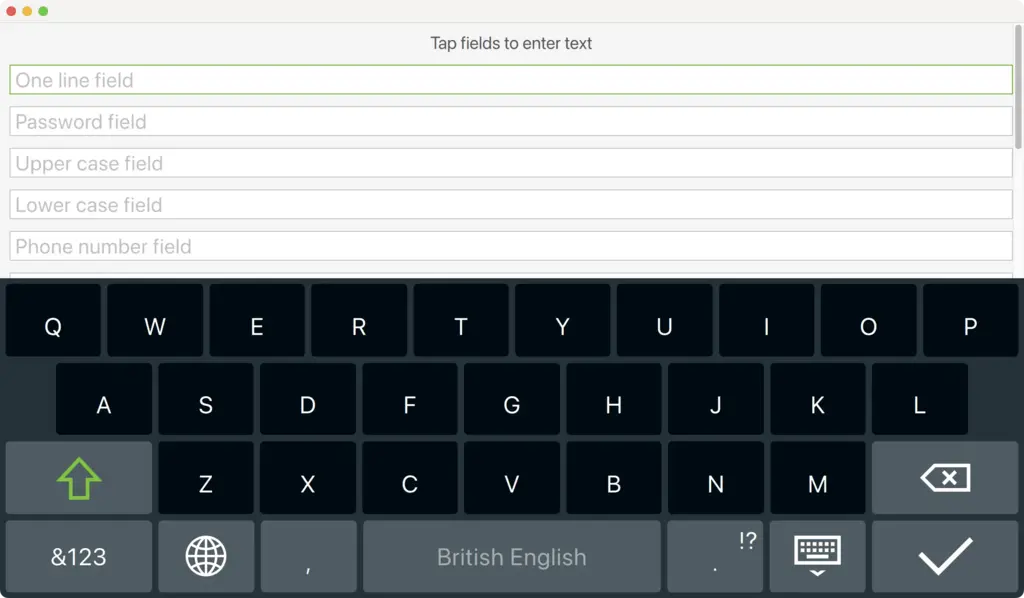
範例有 2 個實現:一個用於桌麵平颱,另一用於嵌入式平颱。前一版本允許使用虛擬鍵盤將文本輸入到多個文本字段,而後一版本使用相同 UI (用戶界麵) 但采用自定義虛擬鍵盤 InputPanel . The following snippets show how to set up the project to choose the appropriate implementation based on the CONFIG options:
basic.pro
):
!qtConfig(vkb-desktop) {
DEFINES += MAIN_QML=\\\"basic-b2qt.qml\\\"
} else {
DEFINES += MAIN_QML=\\\"Basic.qml\\\"
}
CMakeLists.txt
):
if(NOT QT_FEATURE_vkb_desktop)
target_compile_definitions(basic PUBLIC
MAIN_QML="basic-b2qt.qml"
)
endif()
...
if(QT_FEATURE_vkb_desktop)
target_compile_definitions(basic PUBLIC
MAIN_QML="Basic.qml"
)
endif()
範例啓用虛擬鍵盤通過設置
QT_IM_MODULE
環境變量先於加載
.qml
文件:
#include <QQuickView>
#include <QGuiApplication>
#include <QQmlEngine>
int main(int argc, char *argv[])
{
    qputenv("QT_IM_MODULE", QByteArray("qtvirtualkeyboard"));
    QGuiApplication app(argc, argv);
    QQuickView view(QString("qrc:/%2").arg(MAIN_QML));
    if (view.status() == QQuickView::Error)
        return -1;
    view.setResizeMode(QQuickView::SizeRootObjectToView);
    view.show();
    return app.exec();
}
除此外,它使用自定義 TextField and TextArea 項以配置 [ENTER] 鍵行為使用 EnterKeyAction 附加特性。
import QtQuick
import QtQuick.Controls
import QtQuick.VirtualKeyboard
import "content"
Rectangle {
    ...
                TextField {
                    width: parent.width
                    placeholderText: "One line field"
                    enterKeyAction: EnterKeyAction.Next
                    onAccepted: passwordField.focus = true
                }
    ...
                TextArea {
                    id: textArea
                    width: parent.width
                    placeholderText: "Multiple line field"
                    height: Math.max(206, implicitHeight)
                }
}
The
TextField
and
TextArea
控件分彆擴展
Qt Quick Controls 2
類型采用
enterKeyEnabled
and
enterKeyAction
特性。
TextField
and
TextArea
實例片段可以將這些特性設為更改默認行為。
要運行範例從 Qt Creator ,打開 歡迎 模式,然後選擇範例從 範例 。更多信息,見 Qt Creator:教程:構建並運行 .
