A message dialog. 更多...
| import 語句: |
import QtQuick.Dialogs
|
| Since: | Qt 6.3 |
| 繼承: |
The MessageDialog type provides a QML API for message dialogs.
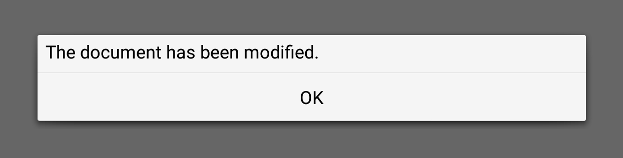
A message dialog is used to inform the user, or ask the user a question. A message dialog displays a primary text 以嚮用戶發齣狀況警報, 情報文本 以進一步闡述警報 (或嚮用戶詢問問題),和可選 細節文本 to provide even more data if the user requests it. A message box can also display a configurable set of buttons 為接受用戶響應。
To show a message dialog, construct an instance of MessageDialog, set the desired properties, and call open ().
MessageDialog {
    buttons: MessageDialog.Ok
    text: "The document has been modified."
}
用戶必須點擊 OK button to dismiss the message dialog.
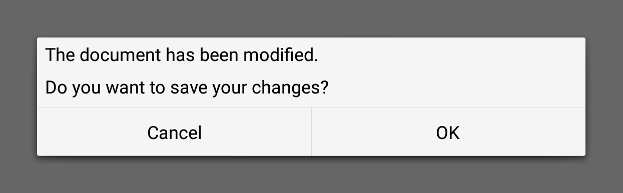
A more elaborate approach than just alerting the user to an event is to also ask the user what to do about it. Store the question in the 情報文本 property, and specify the buttons property to the set of buttons you want as the set of user responses. The buttons are specified by combining values using the bitwise OR operator.
MessageDialog {
    text: "The document has been modified."
    informativeText: "Do you want to save your changes?"
    buttons: MessageDialog.Ok | MessageDialog.Cancel
    onAccepted: document.save()
}
A native platform message dialog is currently available on the following platforms:
Qt Quick Dialogs uses a Qt Quick implementation as a fallback on platforms that do not have a native implementation available.
|
buttons : flags |
This property holds a combination of buttons that are used by the message dialog. The default value is
MessageDialog.NoButton
.
Possible flags:
| 常量 | 描述 |
|---|---|
MessageDialog.Ok
|
An "OK" button defined with the
AcceptRole
.
|
MessageDialog.Open
|
An "Open" button defined with the
AcceptRole
.
|
MessageDialog.Save
|
A "Save" button defined with the
AcceptRole
.
|
MessageDialog.Cancel
|
A "Cancel" button defined with the
RejectRole
.
|
MessageDialog.Close
|
A "Close" button defined with the
RejectRole
.
|
MessageDialog.Discard
|
A "Discard" or "Don't Save" button, depending on the platform, defined with the
DestructiveRole
.
|
MessageDialog.Apply
|
An "Apply" button defined with the
ApplyRole
.
|
MessageDialog.Reset
|
A "Reset" button defined with the
ResetRole
.
|
MessageDialog.RestoreDefaults
|
A "Restore Defaults" button defined with the
ResetRole
.
|
MessageDialog.Help
|
A "Help" button defined with the
HelpRole
.
|
MessageDialog.SaveAll
|
A "Save All" button defined with the
AcceptRole
.
|
MessageDialog.Yes
|
A "Yes" button defined with the
YesRole
.
|
MessageDialog.YesToAll
|
A "Yes to All" button defined with the
YesRole
.
|
MessageDialog.No
|
A "No" button defined with the
NoRole
.
|
MessageDialog.NoToAll
|
A "No to All" button defined with the
NoRole
.
|
MessageDialog.Abort
|
An "Abort" button defined with the
RejectRole
.
|
MessageDialog.Retry
|
A "Retry" button defined with the
AcceptRole
.
|
MessageDialog.Ignore
|
An "Ignore" button defined with the
AcceptRole
.
|
MessageDialog.NoButton
|
The dialog has no buttons. |
另請參閱 buttonClicked ().
|
detailedText : string |
This property holds the text to be displayed in the details area.
另請參閱 text and informativeText .
|
informativeText : string |
This property holds the informative text that provides a fuller description for the message.
Informative text can be used to expand upon the text to give more information to the user.
另請參閱 text and detailedText .
|
text : string |
This property holds the text to be displayed on the message dialog.
另請參閱 informativeText and detailedText .
|
buttonClicked ( QPlatformDialogHelper::StandardButton button , QPlatformDialogHelper::ButtonRole role ) |
This signal is emitted when a button 采用指定 role 被點擊。
By giving this signal a handler, you can respond to any custom button being pressed. The button argument tells which button was clicked, while the role argument tells the functional role of that button.
MessageDialog {
    id: dialog
    text: qsTr("The document has been modified.")
    informativeText: qsTr("Do you want to save your changes?")
    buttons: MessageDialog.Ok | MessageDialog.Cancel
    onButtonClicked: function (button, role) {
        switch (button) {
        case MessageDialog.Ok:
            document.save()
            break;
        }
    }
}
注意:
相應處理程序是
onButtonClicked
.
另請參閱 buttons .
