Alters the colors of the source item by applying an overlay color. 更多...
| import 語句: |
import Qt5Compat.GraphicalEffects
|
| Since: | QtGraphicalEffects 1.0 |
| 繼承: |
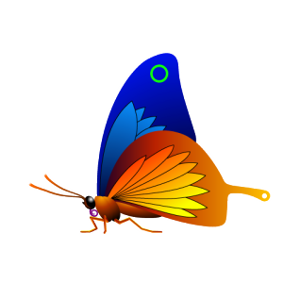
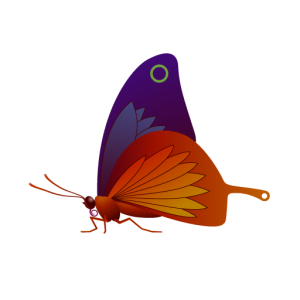
The effect is similar to what happens when a colorized glass is put on top of a grayscale image. The color for the overlay is given in the ARGB format.
| 源 | Effect applied |
|---|---|
|
|
The following example shows how to apply the effect.
import QtQuick
import Qt5Compat.GraphicalEffects
Item {
    width: 300
    height: 300
    Image {
        id: bug
        source: "images/butterfly.png"
        sourceSize: Qt.size(parent.width, parent.height)
        smooth: true
        visible: false
    }
    ColorOverlay {
        anchors.fill: bug
        source: bug
        color: "#80800000"
    }
}
|
cached : bool |
This property allows the effect output pixels to be cached in order to improve the rendering performance.
Every time the source or effect properties are changed, the pixels in the cache must be updated. Memory consumption is increased, because an extra buffer of memory is required for storing the effect output.
It is recommended to disable the cache when the source or the effect properties are animated.
默認情況下,特性被設為
false
.
|
color : color |
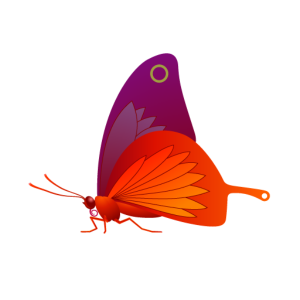
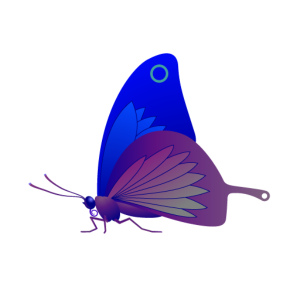
This property defines the color value which is used to colorize the source.
默認情況下,特性被設為
"transparent"
.
| Output examples with different color values | ||
|---|---|---|
|

|
|
| color: #80ff0000 | color: #8000ff00 | color: #800000ff |
|
source : variant |
This property defines the source item that provides the source pixels for the effect.
注意: It is not supported to let the effect include itself, for instance by setting source to the effect's parent.
