Demonstrates how to manipulate 3D objects with Qt Quick 3D XR.
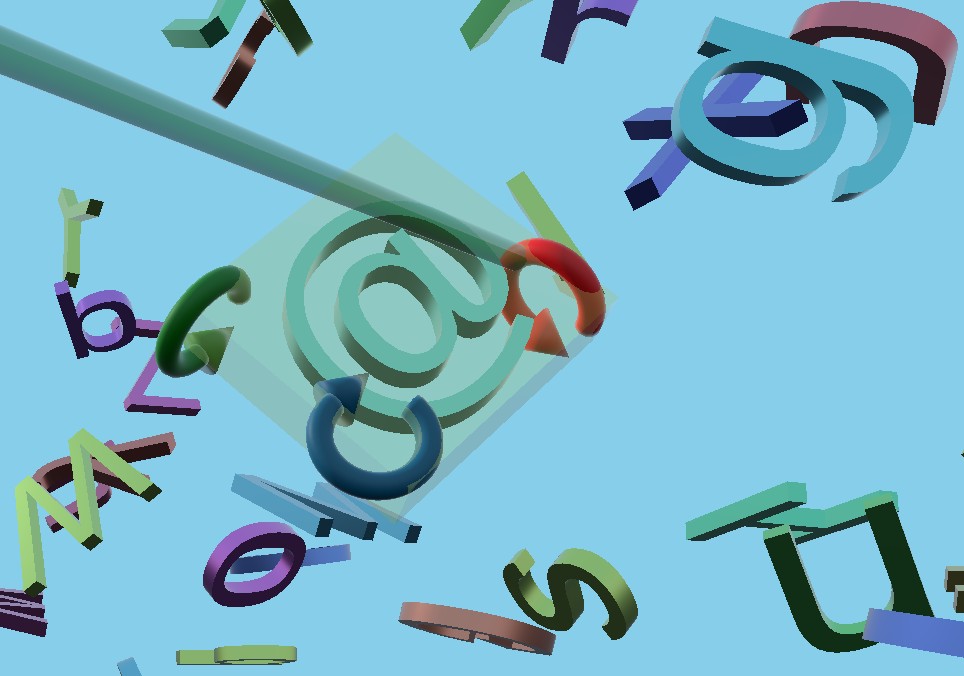
This example shows how to create components that move and resize 3D objects in a scene. It uses the same ray-picking strategy as the xr_input 范例。
In this example, we create a reusable component named
AimController
. This performs ray picking to select a Model, and optionally allows the user to grab the selected Model and move it around.
AimController
defines signals that allows us to implement custom interactions:
property Model hoveredObject: null
signal objectPressed(obj: Model, pos: vector3d, direction: vector3d)
signal moved(pos: vector3d, direction: vector3d)
signal released()
signal objectGrabbed(obj: Model)
We define an abstract component,
XrGadget
, which has two functions:
handleControllerPress
and
handleControllerMove
. In C++, these functions would have been virtual. Since this example is implemented completely in QML, we instead emit signals that can be handled in sub-components.
例如,
TranslateGadget
moves the controlled object along the gadget's axis based on the
onMoved
signal:
onMoved: (pos, dir) => {
    let moveDirection = delta.normalized()
    let mapped_axis = controlledObject.mapDirectionToScene(axisDirection).normalized()
    let dot = mapped_axis.dotProduct(moveDirection)
    let offset = mapped_axis.times(delta.length() * dot)
    controlledObject.position = originalPos.plus(offset)
}
We put the
AimController
and the gadgets in the separate sub-project
xr_shared
, so we can reuse them in future examples. (
xr_shared
also includes the
FreeformTeleporter
component from the
Freeform Teleportation Example
)。
We define a component
GadgetBox
that keeps track of which object is selected and shows a translucent box around the selected object, in addition to showing gadgets around the object. When a selected object is pressed, the
GadgetBox
will cycle between the three different types of gadgets (translate, rotate, and resize).
在
main.qml
we react to the signals from the
AimController
and call the functions in
GadgetBox
:
AimController {
    id: rightAim
    controller: XrController.RightController
    view: xrView
    enableVirtualMouse: true
    enableThumbstickMove: thumbCheckBox.checked
    onObjectPressed: (obj, pos, dir) => {
        gadgetBox.handlePress(obj, pos, dir)
    }
    onHoveredObjectChanged: {
        gadgetBox.handleHover(hoveredObject)
        hapticFeedback.handleHover(hoveredObject)
    }
    onMoved: (pos, dir) => {
        gadgetBox.handleMove(pos, dir)
    }
    onReleased: {
        gadgetBox.handleRelease()
    }
    onObjectGrabbed: (obj) => {
        if (!grabCheckBox.checked)
            return
        const gadget = obj as XrGadget
        if (!gadget)
            startGrab(obj)
        else if (gadget.grabbable)
            startGrab(gadget.controlledObject)
    }
    Model {
        source: "#Cylinder"
        scale: "0.05, 0.1, 0.05"
        z: 5
        eulerRotation.x: 90
        materials: PrincipledMaterial {
            baseColor: "black"
        }
    }
    xrCursor: cursor
}
We also provide haptic feedback when the hovered object or gadget changes:
XrHapticFeedback {
    id: hapticFeedback
    controller: XrHapticFeedback.RightController
    hapticEffect: XrSimpleHapticEffect {
        amplitude: 0.5
        duration: 10
        frequency: 200
    }
    property Model prevObj: null
    function handleHover(obj: Model) {
        if (obj && obj !== prevObj)
            start()
        prevObj = obj
    }
}
