Visual helper for showing the 3 axes and a grid in a 3D scene. 更多...
| import 语句: |
import QtQuick3D.Helpers
|
| 继承: |
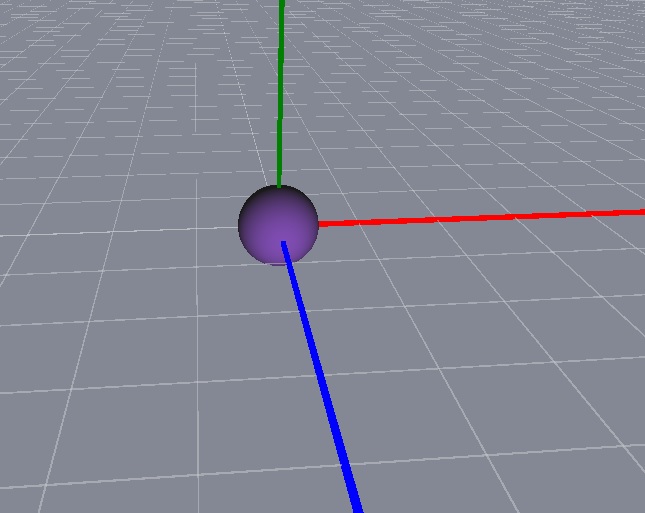
The X axis is red, the Y axis is green, and the Z axis is blue.
The example scene here has a Sphere at position
(0, 0, 0)
and an AxisHelper object. With the
WasdController
helper one can conveniently navigate the scene.
View3D {
    anchors.fill: parent
    camera: camera
    PerspectiveCamera {
        id: camera
        position: Qt.vector3d(0, 0, 600)
    }
    DirectionalLight {
        position: Qt.vector3d(-500, 500, -100)
        color: Qt.rgba(0.4, 0.2, 0.6, 1.0)
        ambientColor: Qt.rgba(0.1, 0.1, 0.1, 1.0)
    }
    Model {
        source: "#Sphere"
        materials: [ PrincipledMaterial { } ]
    }
    AxisHelper {
    }
}
WasdController {
    controlledObject: camera
}
|
enableAxisLines
:
bool
|
Enables showing the axis lines.
|
enableXYGrid
:
bool
|
Enables the grid on XY plane.
|
enableXZGrid : bool |
/default true Enables the grid on XZ plane.
|
enableYZGrid
:
bool
|
Enables the grid on YZ plane.
|
gridColor
:
color
|
Specifies the color of the grid.
|
gridOpacity
:
real
|
Specifies the opacity of the grid.
