展示基本渲染采用 QVulkanWindow 和 Vulkan API。
The Hello Vulkan 三角形範例 創建完整圖形管道,包括:頂點和片段著色器,來渲染三角形。
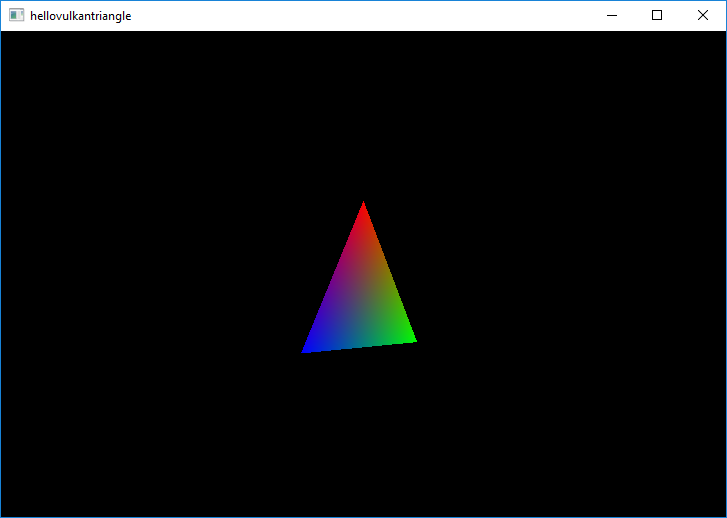
使用 Vulkan 的每個 Qt 應用程序都必須擁有
Vulkan instance
which encapsulates application-level state and initializes a Vulkan library.
A QVulkanWindow must always be associated with a QVulkanInstance and hence the example performs instance creation before the window. The QVulkanInstance object must also outlive the window.
    QVulkanInstance inst;
    inst.setLayers({ "VK_LAYER_KHRONOS_validation" });
    if (!inst.create())
        qFatal("Failed to create Vulkan instance: %d", inst.errorCode());
The example enables validation layers, when supported. When the requested layers are not present, the request will be ignored. Additional layers and extensions can be enabled in a similar manner.
    VulkanWindow w;
    w.setVulkanInstance(&inst);
    w.resize(1024, 768);
    w.show();
Once the instance is ready, it is time to create a window. Note that
w
lives on the stack and is declared after
inst
.
要添加自定義功能到 QVulkanWindow , subclassing is used. This follows the existing patterns from QOpenGLWindow and QOpenGLWidget 。不管怎樣, QVulkanWindow utilizes a separate QVulkanWindowRenderer 對象。
The QVulkanWindow subclass reimplements the factory function QVulkanWindow::createRenderer (). This simply returns a new instance of the QVulkanWindowRenderer subclass. In order to be able to access various Vulkan resources via the window object, a pointer to the window is passed and stored via the constructor.
class VulkanWindow : public QVulkanWindow
{
public:
    QVulkanWindowRenderer *createRenderer() override;
};
QVulkanWindow subclasses queue their draw calls in their reimplementation of QVulkanWindowRenderer::startNextFrame (). Once done, they are required to call back QVulkanWindow::frameReady (). The example has no asynchronous command generation, so the frameReady() call is made directly from startNextFrame(). To get continuous updates, the example simply invokes QWindow::requestUpdate () in order to schedule a repaint.
The example also demonstrates multisample antialiasing. Based on the supported sample counts reported by QVulkanWindow::supportedSampleCounts () the example chooses between 8x, 4x, or no multisampling. Once configured via QVulkanWindow::setSamples(), QVulkanWindow takes care of the rest: the additional multisample color buffers are created automatically, and resolving into the swapchain buffers is performed at the end of the default render pass for each frame.
要運行範例從 Qt Creator ,打開 歡迎 模式,然後選擇範例從 範例 。更多信息,見 Qt Creator:教程:構建並運行 .
