使用 Qt Quick 播放音頻和視頻。
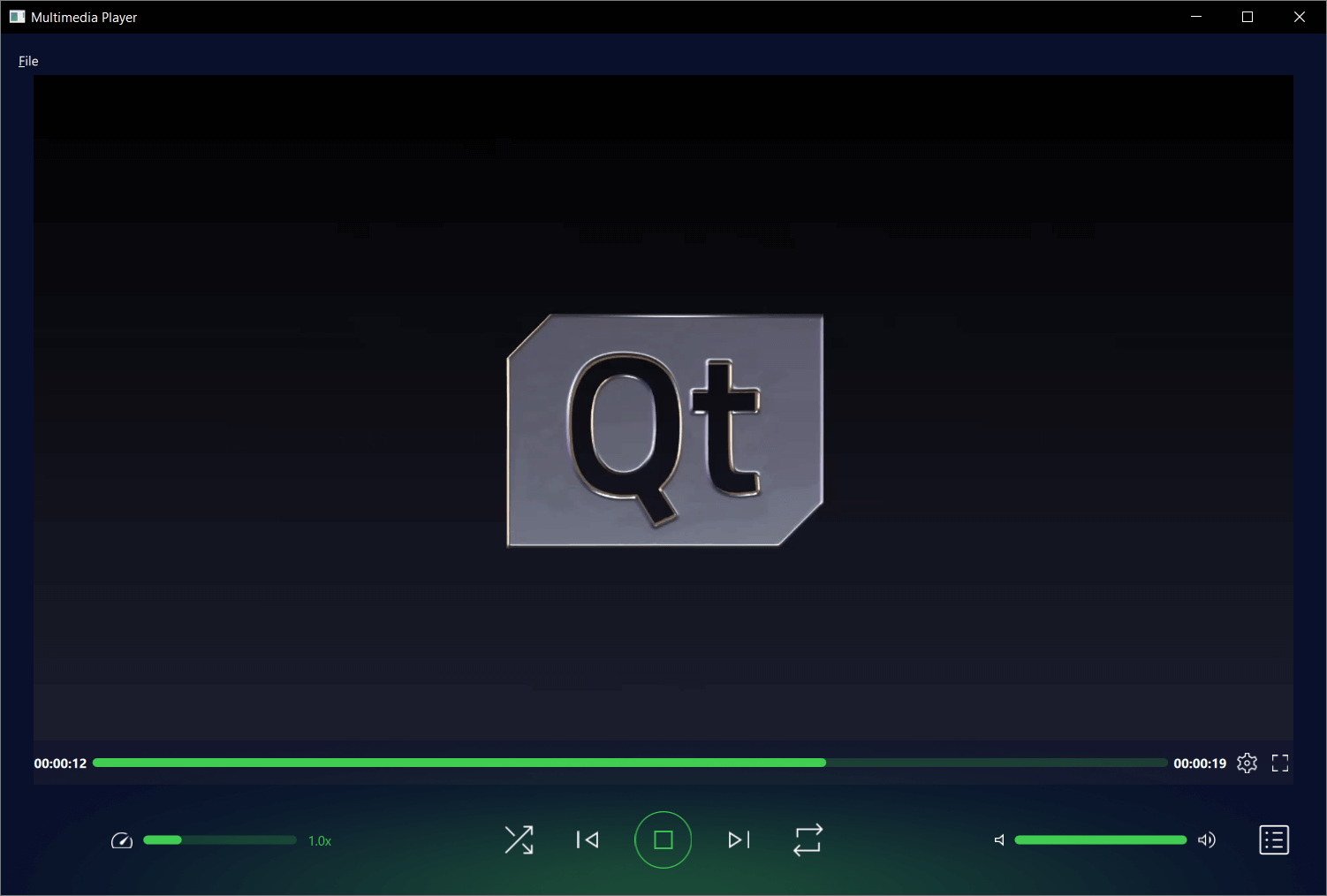
This example demonstrates a simple multimedia player that can play audio and video files using various codecs.
要運行範例從 Qt Creator ,打開 歡迎 模式,然後選擇範例從 範例 。更多信息,見 Qt Creator:教程:構建並運行 .
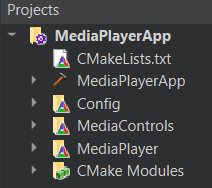
This applications architecture is comprised of three custom QML modules:
MediaControl
MediaPlayer
Config
This is also reflected in the top-level
CMakeLists.txt
文件:
add_subdirectory(MediaPlayer)
add_subdirectory(MediaControls)
add_subdirectory(Config)
target_link_libraries(MediaPlayerApp PRIVATE
    Qt6::Core
    Qt6::Svg
    Qt6::Quick
    Qt6::Multimedia
    MediaControlsplugin
    MediaPlayerplugin
    Configplugin
Each QML module is created using the qt_add_qml_module macro, for example see how the Config module is created.
qt_add_library(Config STATIC)
set_source_files_properties(Config.qml
    PROPERTIES
        QT_QML_SINGLETON_TYPE true
)
qt_add_qml_module(Config
    URI "Config"
    OUTPUT_DIRECTORY Config
    QML_FILES
        "Config.qml"
)
At its core this is a QML application, see 采用 Qt Quick 快速入門編程 for information specific to that. This documentation is focused on how this example utilizes the Qt Multimedia QML 類型 .
This type controls themes and layouts for an application, depending on the target operating system.
First we declare it a singleton, as we only need it to be instantiated once and creating copies would be a waste of resources.
To do that we add the following at the top of
Config.qml
pragma Singleton
We then create a qmldir file in the
Config
directory named
qmldir
that contains the following:
module Config
singleton Config 1.0 Config.qml
Now to use it in our application, see how it is referenced in MediaPlayer 's Main.qml file:
color: Config.mainColor
This module holds all the types used to define the application's controls including:

See each specific type's definition file for detail on how these controls are implemented. They are an evolution of the controls in the QML 媒體播放器範例 .
MediaPlayer
QML 模塊
This module has the Main.qml file which declares where most of the top level types for the application are used, and crucially where the Qt Multimedia MediaPlayer and VideoOutput QML types are declared.
    MediaPlayer {
        id: mediaPlayer
        playbackRate: playbackControl.playbackRate
        videoOutput: videoOutput
        audioOutput: AudioOutput {
            id: audio
            volume: playbackControl.volume
        }
        source: new URL("https://download.qt.io/learning/videos/media-player-example/Qt_LogoMergeEffect.mp4")
        function updateMetadata() {
            root.metadataInfo.clear()
            root.metadataInfo.read(mediaPlayer.metaData)
        }
        onMetaDataChanged: updateMetadata()
        onActiveTracksChanged: updateMetadata()
        onErrorOccurred: {
            errorPopup.errorMsg = mediaPlayer.errorString
            errorPopup.open()
        }
        onTracksChanged: {
            settingsInfo.tracksInfo.selectedAudioTrack = mediaPlayer.activeAudioTrack
            settingsInfo.tracksInfo.selectedVideoTrack = mediaPlayer.activeVideoTrack
            settingsInfo.tracksInfo.selectedSubtitleTrack = mediaPlayer.activeSubtitleTrack
            updateMetadata()
        }
        onMediaStatusChanged: {
            if ((MediaPlayer.EndOfMedia === mediaStatus && mediaPlayer.loops !== MediaPlayer.Infinite) &&
                    ((root.currentFile < playlistInfo.mediaCount - 1) || playlistInfo.isShuffled)) {
                if (!playlistInfo.isShuffled) {
                    ++root.currentFile
                }
                root.playMedia()
            } else if (MediaPlayer.EndOfMedia === mediaStatus && root.playlistLooped && playlistInfo.mediaCount) {
                root.currentFile = 0
                root.playMedia()
            }
        }
    }
    VideoOutput {
        id: videoOutput
        anchors.top: fullScreen || Config.isMobileTarget ? parent.top : menuBar.bottom
        anchors.bottom: fullScreen ? parent.bottom : playbackControl.top
        anchors.left: parent.left
        anchors.right: parent.right
        anchors.leftMargin: fullScreen ? 0 : 20
        anchors.rightMargin: fullScreen ? 0 : 20
        visible: mediaPlayer.hasVideo
        property bool fullScreen: false
        TapHandler {
            onDoubleTapped: {
                if (parent.fullScreen) {
                    root.showNormal()
                } else {
                    root.showFullScreen()
                }
                parent.fullScreen = !parent.fullScreen
            }
            onTapped: {
                root.closeOverlays()
            }
        }
    }
The module contains the other customs types used for retrieving and displaying file information, as well as calling the file picker.
See each specific type's definition file for detail on how types are implemented. Some are an evolution of those found in QML 媒體播放器範例 .
This example application has some new functionality implemented by types, such as
PlaylistInfo
and
ThemeInfo
. See the respective .qml files for detail on how these are implemented.
