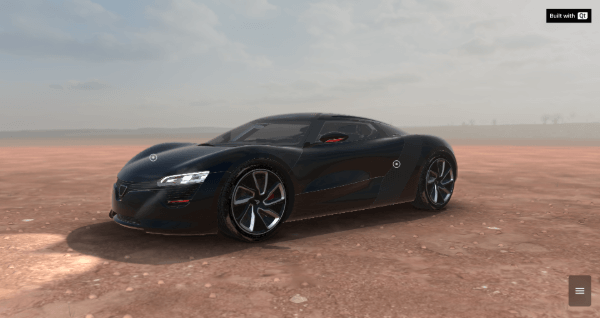
汽車模型範例演示使用 Qt Quick 3D cameras, extended scene environment and Qt Quick 3D.
要運行範例從 Qt Creator ,打開 歡迎 模式,然後選擇範例從 範例 。更多信息,見 Qt Creator:教程:構建並運行 .
汽車配置器 shows a car in different scene environments and in different colors. It's implemented with QML and relies on a number of Qt modules, most prominently Qt Quick and Qt Quick 3D .
注意: This example does download some assets from an internet server at runtime. Therefore, you will need an internet connection when launching it for the first time.
You can interact with the car model in two modes:
The camera perspective moves along different paths and shows different views of the car.
The camera moves to its initial position.
There are four scene environments available for this example:
There are four colors available for the car:
You can turn the lights of the car on and off.
