As Qt Graphs for 3D is based on Qt Quick 3D, it is possible to integrate Qt Quick 3D scenes into the graphs.
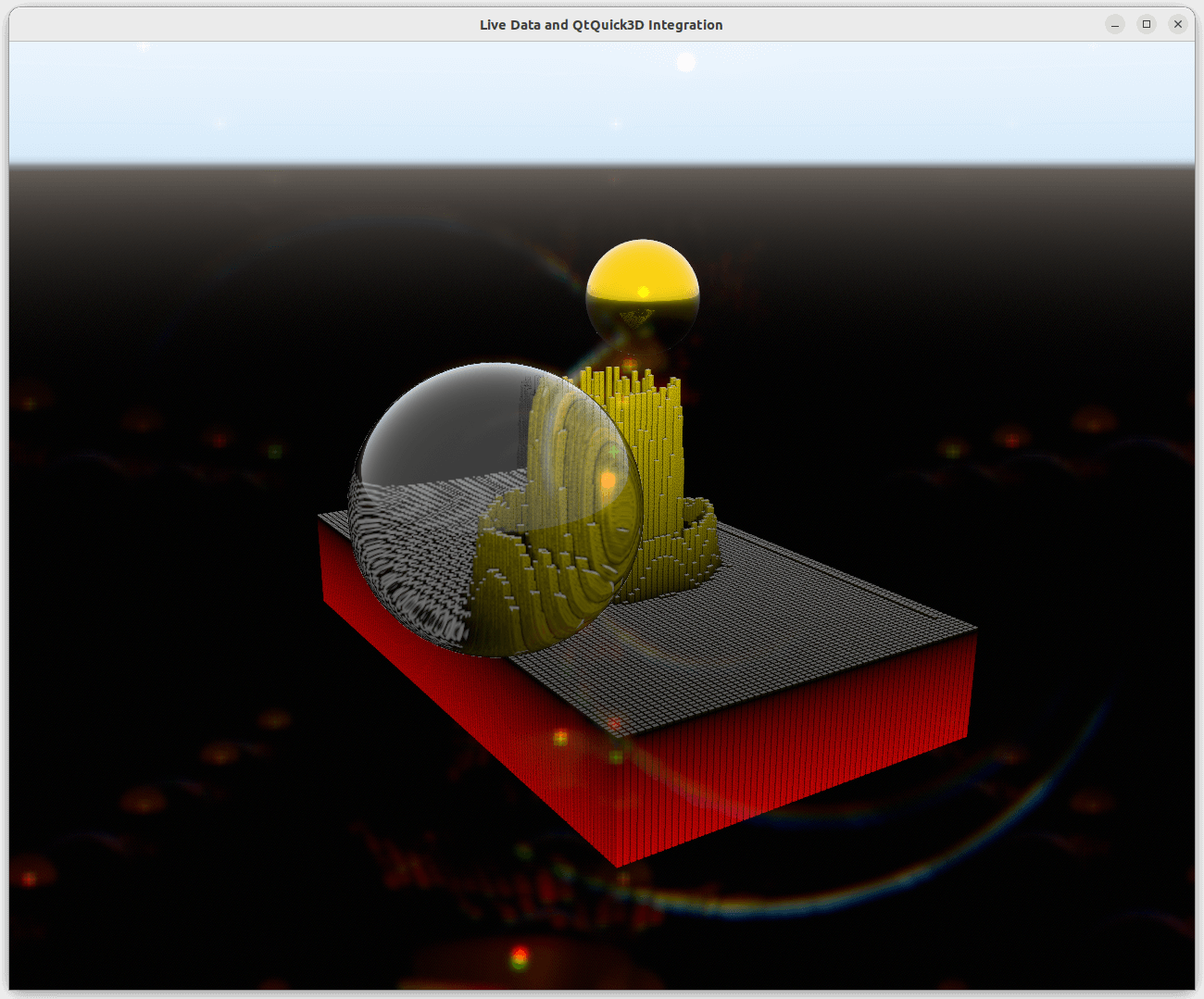
To adjust a Qt Quick 3D scene environment in a graph, define either
SceneEnvironment
or
ExtendedSceneEnvironment
在
environment
property of the graph as follows:
environment: ExtendedSceneEnvironment {
    aoEnabled: true
    aoDither: true
    ditheringEnabled: true
    lightProbe: Texture {
        textureData: ProceduralSkyTextureData {
            groundBottomColor: "black"
            skyTopColor: "white"
        }
    }
    backgroundMode: SceneEnvironment.SkyBox
    lensFlareEnabled: true
    lensFlareGhostCount: 10
    lensFlareApplyStarburstTexture: true
    lensFlareBloomBias: 0.4
}
Overriding antialiasing mode or scene clear color doesn't work, which means that setting value for
SceneEnvironment.antialiasingMode
and
SceneEnvironment.clearColor
does nothing. However, if the
backgroundMode
is not set to
SceneEnvironment.Color
, background will be affected by the settings.
To integrate a Qt Quick 3D scene into a graph, set the graph's
importScene
property to a
Node
with the following settings:
importScene: Node {
    Model {
        scale: Qt.vector3d(0.01, 0.01, 0.01)
        source: "#Sphere"
        x: 2.5
        z: 2
        y: 1
        castsReflections: false
        receivesReflections: true
        materials: [
            PrincipledMaterial {
                baseColor: "gold"
                metalness: 1.0
                roughness: 0.1
            }
        ]
        ReflectionProbe {
            boxSize: Qt.vector3d(6, 3, 5)
            boxOffset: Qt.vector3d(-1.5, -1, -1.5)
            parallaxCorrection: true
            quality: ReflectionProbe.High
        }
    }
    Model {
        scale: Qt.vector3d(0.01, 0.01, 0.01)
        source: "#Sphere"
        x: -2.5
        z: -2
        y: 1
        castsReflections: false
        receivesReflections: true
        materials: [
            PrincipledMaterial {
                baseColor: "white"
                metalness: 0.0
                roughness: 0.0
                transmissionFactor: 1.0
                thicknessFactor: 50
            }
        ]
    }
}
Adding 节点 directly as children to the graph will not work, because the default child for a graph is the corresponding series.
