Demonstrates how to add a C++ backend to a 3D project from Qt Design Studio.
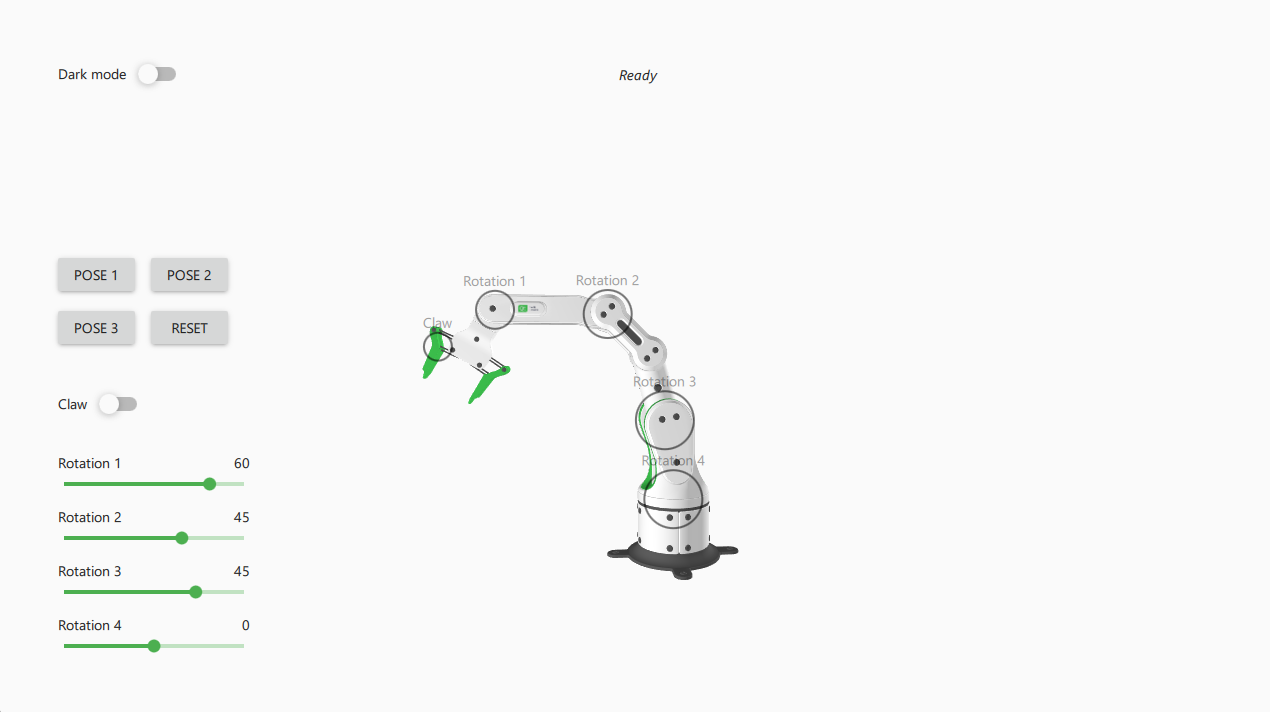
The Robot Arm example demonstrates adding a C++ backend to a 3D project created in Qt Design Studio. The example consists of an interactive industrial robot arm in a Qt Quick 3D scene. Qt Quick Controls implements the 2D UI to control the robot arm.
要运行范例从 Qt Creator ,打开 欢迎 模式,然后选择范例从 范例 。更多信息,见 Qt Creator:教程:构建并运行 .
For Qt Design Studio, the Robot Arm example comes with a QML module in
backend_moc/Backend/Backend_moc.qml
that serves as a backend for the project. The C++ application implements a compatible backend QML module. Both QML modules implement the same API, which ensures compatibility between the two modules.
content/RoboticArm.ui.qml
defines the Qt Quick 3D scene.
content/MainScreen.ui.qml
implements the 2D UI and supports a light and dark theme. The example uses the Material style from Qt Quick Controls and the dark and light theme to implement both modes.
注意: 范例利用 Qt Quick 3D 模块,是单独项在 Qt 在线安装程序 . If the example fails to configure, please make sure that you have Qt Quick 3D package installed.
另请参阅 所有 Qt 范例 and Qt Quick 范例和教程 .
