Capturing a screen or window.
Screen Capture demonstrates how to capture a screen using QScreenCapture . The example shows a list of screens and a live preview of the selected item using a QMediaCaptureSession 和 QVideoWidget . There is also a button to start and stop the capturing.
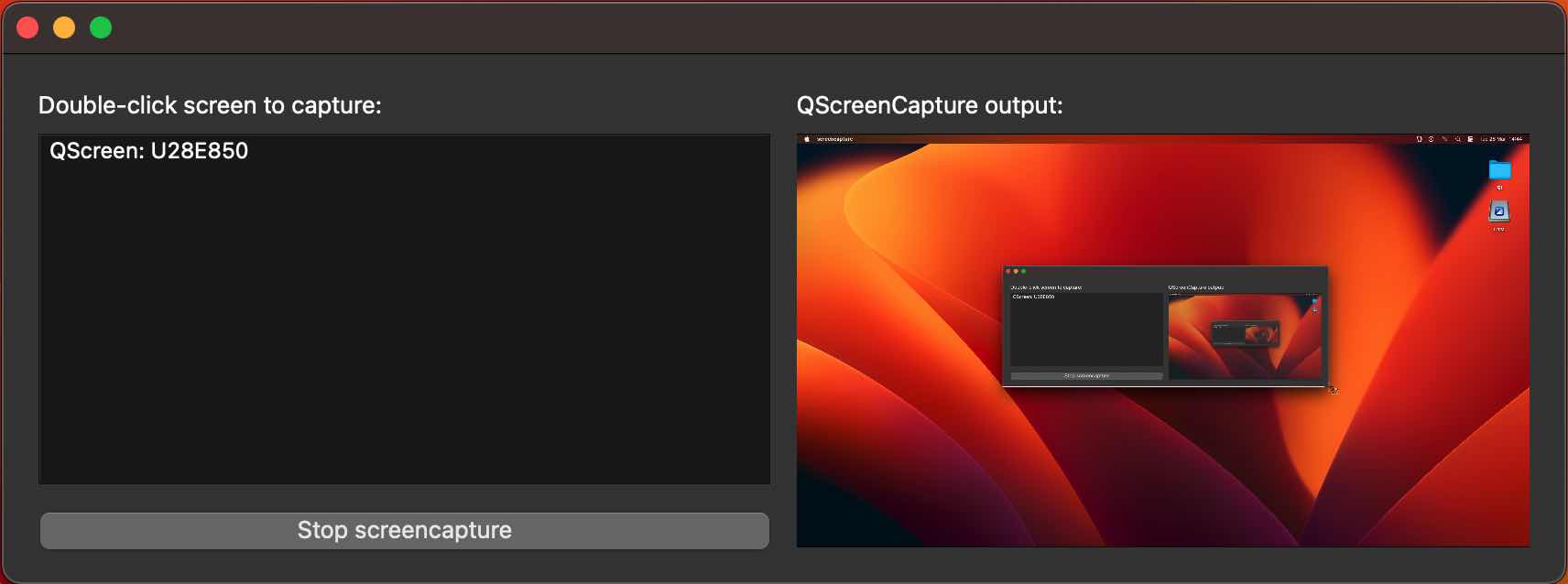
要運行範例從 Qt Creator ,打開 Welcome 模式,然後選擇範例從 Examples 。更多信息,拜訪 構建和運行範例 .
The example consists of two custom classes. The UI and all screen capture functionality is implemented in the class ScreenCapturePreview. The class ScreenListModel only serves as a model behind the QListView widget. The main function creates a ScreenCapturePreview object, which in turn creates an instance of QScreenCapture , QMediaCaptureSession and QVideoWidget in addition to all the UI widgets.
The list is populated with the return value of QGuiApplication::screens ().
When a list item is selected, it is connected to the QScreenCapture 對象采用 QScreenCapture::setScreen ()。 QScreenCapture object is connected to the QMediaCaptureSession 對象采用 QMediaCaptureSession::setScreenCapture (), which in turn is connected to the QVideoWidget 對象采用 QMediaCaptureSession::setVideoOutput (). Thus the screen capture output is previewed in the video widget on the right hand side of the UI.
The start/stop button calls QScreenCapture::start () 和 QScreenCapture::stop ().
A QMessageBox pops up if the QScreenCapture::errorOccurred 信號發射。
