Qt 是为一次性开发应用程序和用户界面,并将它们部署到多个桌面和移动操作系统中而设计的。
采用 Qt 开始应用程序开发的最轻松方式是 download 并安装 Qt。Qt 安装包含 Qt 库、范例、文档编制及必要开发工具,譬如 Qt Creator integrated development environment (IDE). For more information, visit the Qt 快速入门 页面。
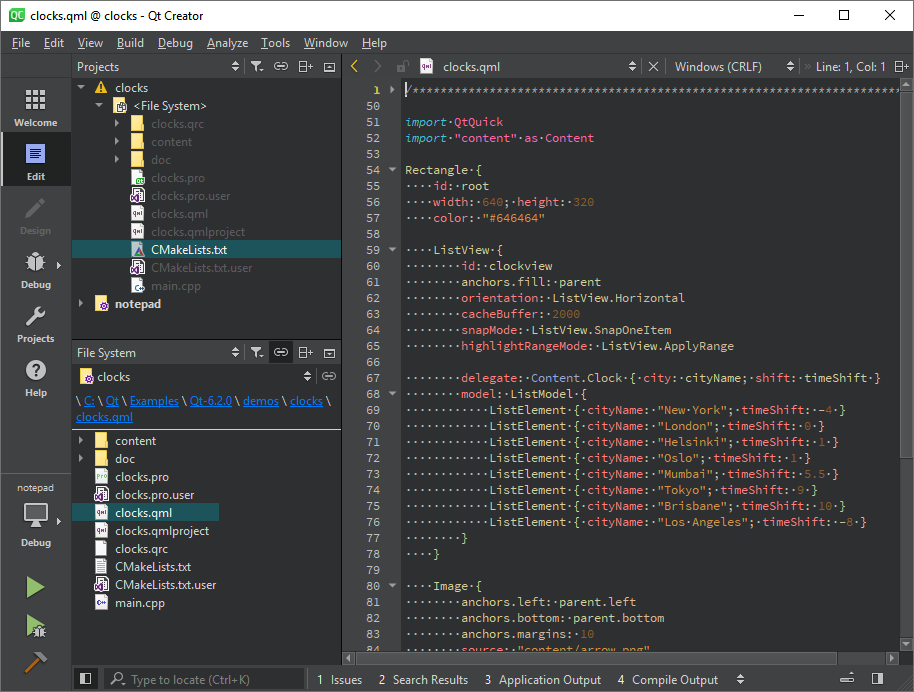
Qt Creator provides you with tools for accomplishing your tasks throughout the whole application development life-cycle, from creating a project to deploying the application on the target platforms. Qt Creator automates some tasks, such as creating projects, by providing wizards that guide you step-by-step through the project creation process, create the necessary files, and specify settings depending on the choices you make. Also, it speeds up some tasks, such as writing code, by offering semantic highlighting, checking code syntax, code completion, refactoring actions, and other useful features.
Qt Designer is a tool within Qt Creator for designing and building graphical user interfaces (GUIs) for Qt Widgets. You can compose and customize your widgets or dialogs in a visual editor, and test them using different styles and resolutions. Qt Designer is also available as a standalone tool. Both versions of Qt Designer only differ in some functionalities such as the use of resource files and how to switch in the design and edit mode. For more information, visit the Qt Designer 手册。
Qt lets designers import assets from imaging and design tools, such as Adobe Photoshop, Sketch, Figma, Blender, or Maya, create layouts and flows, and generate code for developers. Qt Design Studio is a tool that provides rich and fluid components, a code editor, timeline-based animations, visual effects, layouts, and a live-preview for prototyping. Qt Design Studio generates code for developers to use in Qt Creator. For more information about the tools for designers, visit the Qt Design Studio 手册。
Qt Creator creates project templates for different build systems. You can create kits for different combinations of target platforms and build environments. Qt Creator supports CMake, qmake, Qbs, Autotools, Nimble, Meson, and IncrediBuild projects.
For more information about project templates and building in Qt Creator, see:
You can configure and build Qt from source using CMake or qmake . Custom configurations are for developers of Qt and for porting Qt to different targets. The Qt Platform Abstraction is an abstraction layer to facilitate Qt ports onto different platforms and targets.
For more information about building Qt, see:
You can localize your application to different languages. Use the Qt 国际化 framework for handling different writing systems, translating interfaces, and for displaying numbers, dates, and currency in different formats. Qt Linguist is a tool for translators for translating applications. Together with release managers and developers, they produce, store, and deploy translated text in the UI.
For more information about internationalization and localization, see:
可以使用 Qt Help framework to create and package help files for complex applications. The help framework involves XML-based formats and tools to create content, set the order and filters for application manuals.
