Playing audio and video using Qt Widgets.
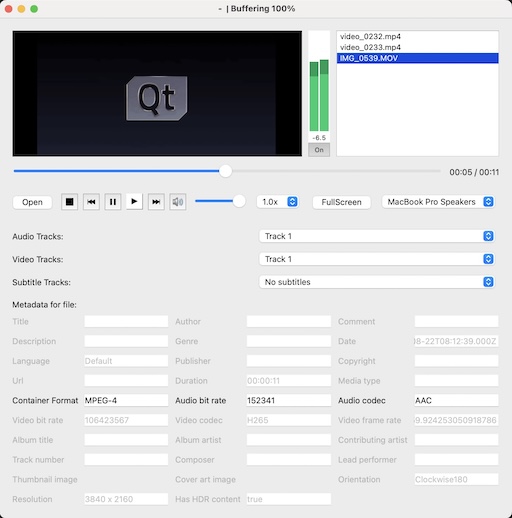
媒體播放器 demonstrates a simple multimedia player that can play audio and video files using various codecs.
要運行範例從 Qt Creator ,打開 歡迎 模式,然後選擇範例從 範例 。更多信息,見 Qt Creator:教程:構建並運行 .
範例使用 QMediaPlayer 對象被傳入 QVideoWidget to control the video output. To give the application playlist capability we also use a QMediaPlaylist object. QMediaPlaylist was removed from our API in Qt 6, but its implementation is included in this example.
An audio level meter shows peak and RMS levels during playback. This is implemented by setting a QAudioBufferOutput to QMediaPlayer , processing each QAudioBuffer it emits on a separate thread and visualising the values through QWidget::paintEvent .
為激活對話框中 (譬如:播放和停止) 各種功能,按鈕點擊事件要發射 play() 和 stop() 信號並連接到 play() 和 stop() 槽對於 QMediaPlayer .
connect(controls, SIGNAL(play()), player, SLOT(play()));
connect(controls, SIGNAL(pause()), player, SLOT(pause()));
connect(controls, SIGNAL(stop()), player, SLOT(stop()));
可以獲取音量 (並設置用戶界麵錶示)
controls->setVolume(player->volume());
可以讓 Widget 更改 volume 以改變音量
connect(controls, SIGNAL(changeVolume(int)), player, SLOT(setVolume(int)));
範例還允許改變視頻特性通過 QVideoWidget 對象。可以單擊按鈕進入全屏模式狀態,然後再返迴。
