要使用 Windows App SDK in Qt apps, configure the SDK path.
To configure the Windows App SDK in Qt Creator, go to 首选项 > SDKs .
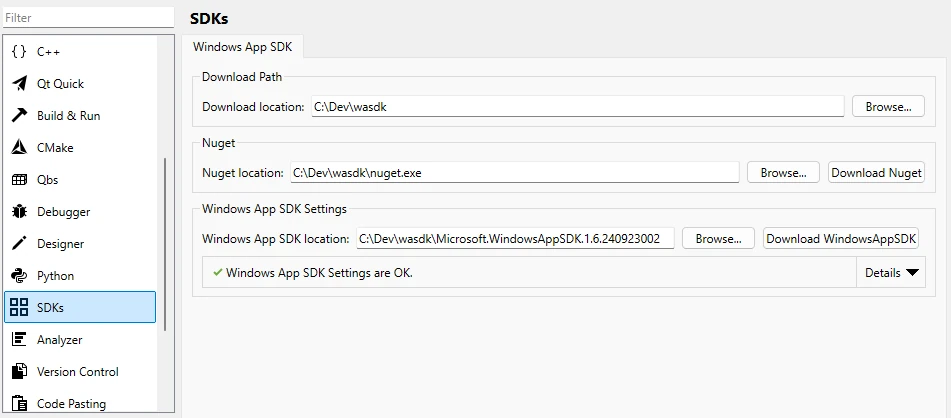
更多信息,见 Qt Creator Documentation .
范例:
mkdir C:\Dev\wasdk
cd C:\Dev\wasdk
For example, to download with PowerShell from the command line:
powershell.exe -Command "& {Invoke-WebRequest https://dist.nuget.org/win-x86-commandline/latest/nuget.exe -OutFile nuget.exe}"
nuget.exe install Microsoft.WindowsAppSDK -OutputDirectory ./
WIN_APP_SDK_ROOT
environment variable to the Windows APP SDK directory, usually called
Microsoft.WindowsAppSDK.{Version}
.
For example, using the command-line:
cd Microsoft.WindowsAppSDK.*
set WIN_APP_SDK_ROOT=%cd%
setX WIN_APP_SDK_ROOT %cd%
调用 qt_add_win_app_sdk (ProjectName) CMake function in the project's CMake file. Replace ProjectName with your project name.
Use a condition to ensure the build is only for MSVC builds:
if (MSVC)
    qt_add_win_app_sdk(ProjectName)
endif()
