通俗向导范例阐明如何创建线性 3 页面注册向导使用 3 个实例化的 QWizardPage 和 1 个实例化的 QWizard .

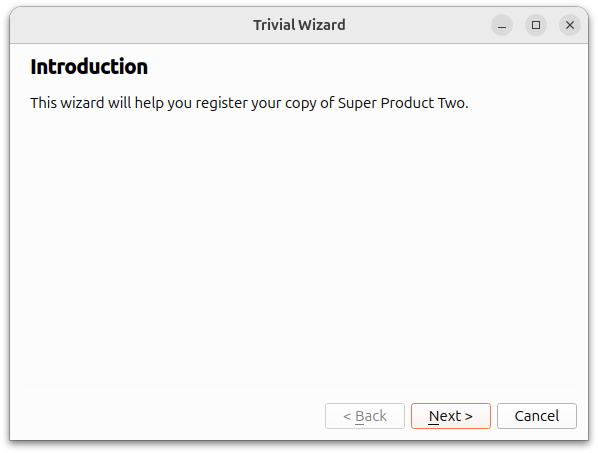
介绍页面的创建是采用
createIntroPage()
function where a
QWizardPage
is created and its title is set to "Introduction". A
QLabel
is used to hold the description of
page
。
QVBoxLayout
is used to hold the
label
。此
page
被返回当
createIntroPage()
函数被调用。
QWizardPage *createIntroPage()
{
    QWizardPage *page = new QWizardPage;
    page->setTitle("Introduction");
    QLabel *label = new QLabel("This wizard will help you register your copy "
                               "of Super Product Two.");
    label->setWordWrap(true);
    QVBoxLayout *layout = new QVBoxLayout;
    layout->addWidget(label);
    page->setLayout(layout);
    return page;
}
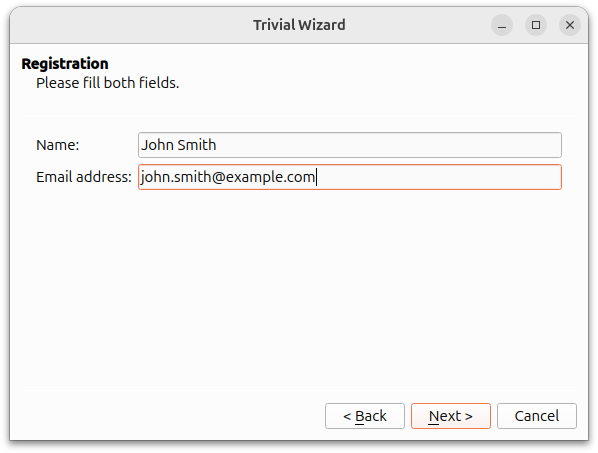
The registration page is created with the
createRegistrationPage()
函数。
QLineEdit
objects are used to allow the user to input a name and an e-mail address. A
QGridLayout
is used to hold the
QLabel
and
QLineEdit
对象。
QWizardPage *createRegistrationPage()
{
    QWizardPage *page = new QWizardPage;
    page->setTitle("Registration");
    page->setSubTitle("Please fill both fields.");
    QLabel *nameLabel = new QLabel("Name:");
    QLineEdit *nameLineEdit = new QLineEdit;
    QLabel *emailLabel = new QLabel("Email address:");
    QLineEdit *emailLineEdit = new QLineEdit;
    QGridLayout *layout = new QGridLayout;
    layout->addWidget(nameLabel, 0, 0);
    layout->addWidget(nameLineEdit, 0, 1);
    layout->addWidget(emailLabel, 1, 0);
    layout->addWidget(emailLineEdit, 1, 1);
    page->setLayout(layout);
    return page;
}
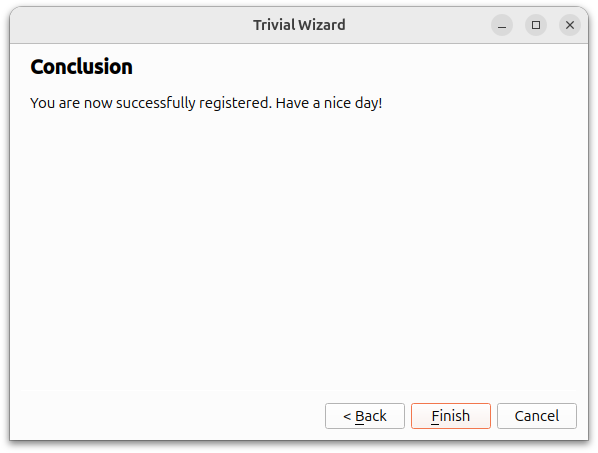
The conclusion page is created in the
createConclusionPage()
function. This function's content is similar to
createIntroPage()
。
QLabel
is used to inform the user that the registration process has completed successfully.
QWizardPage *createConclusionPage()
{
    QWizardPage *page = new QWizardPage;
    page->setTitle("Conclusion");
    QLabel *label = new QLabel("You are now successfully registered. Have a "
                               "nice day!");
    label->setWordWrap(true);
    QVBoxLayout *layout = new QVBoxLayout;
    layout->addWidget(label);
    page->setLayout(layout);
    return page;
}
main()
函数
The
main()
function instantiates a
QWizard
对象,
wizard
, and adds all three
QWizardPage
objects to it. The
wizard
window title is set to "Trivial Wizard" and its
show()
function is invoked to display it.
int main(int argc, char *argv[])
{
    QApplication app(argc, argv);
#ifndef QT_NO_TRANSLATION
    QString translatorFileName = QLatin1String("qtbase_");
    translatorFileName += QLocale::system().name();
    QTranslator *translator = new QTranslator(&app);
    if (translator->load(translatorFileName, QLibraryInfo::path(QLibraryInfo::TranslationsPath)))
        app.installTranslator(translator);
#endif
    QWizard wizard;
    wizard.addPage(createIntroPage());
    wizard.addPage(createRegistrationPage());
    wizard.addPage(createConclusionPage());
    wizard.setWindowTitle("Trivial Wizard");
    wizard.show();
    return app.exec();
}