Qt Online Installer lets you install only the modules and tools you need to develop for a specific desktop platform and deploy your applications to desktop platforms, mobile devices, embedded systems, or MCUs.
To install Qt, complete the instructions on this page or take the How to install Qt course.
Before you start the installation:
Note the following:
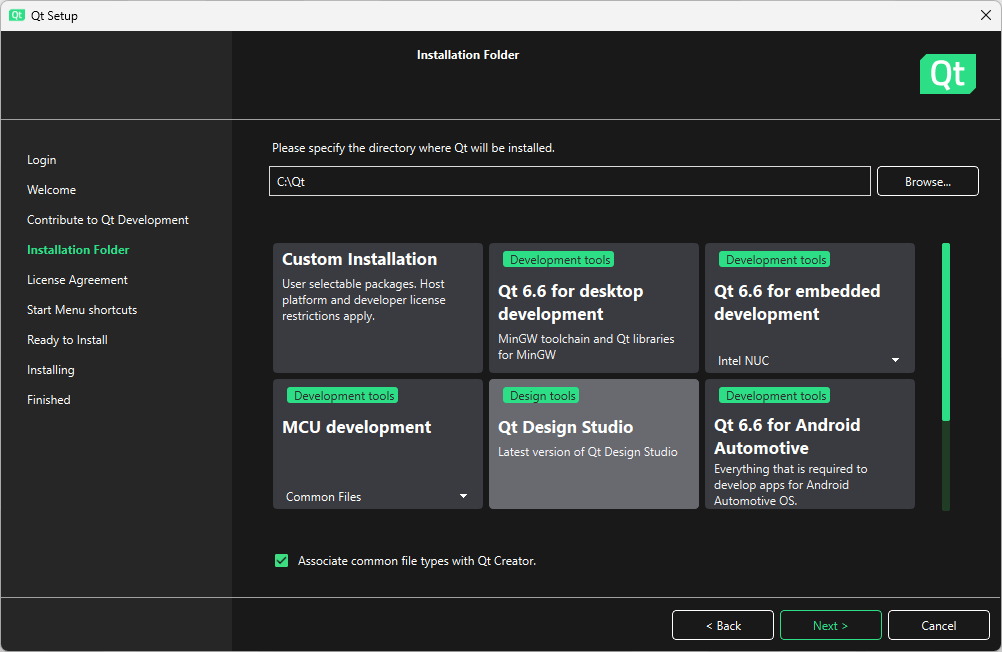
See the following table to find examples of which components to install depending on your target platforms.
| To develop for | Choose | 注意事项 |
|---|---|---|
| 桌面 | Qt <x.x> for desktop development | To use something other than the default toolchain, such as MSVC on Windows, select Custom Installation . Then select Qt for the toolchain you want to use. |
| 移动设备 | Qt <x.x> for mobile development | To develop for a particular platform, select Custom Installation . Then select the Qt for the mobile device platform that you want to run the applications on. For example, Qt for Android or Qt for iOS . |
| Embedded Devices | Qt <x.x> for embedded development | For more information, see the quick start guide for your device in the Boot to Qt documentation . |
| Android Automotive | Qt <x.x> for Android Automotive | 更多信息,见 Installing Qt for Android Automotive part in the Qt for Android Automotive documentation . |
| Automation | Custom Installation | Install necessary Qt modules and toolchains from the Qt for Automation/Qt M2M Protocols section, depending on the types of devices that you want to run applications on. |
| MCU | Qt for MCU development | 更多信息,见 Installing Qt for MCUs part in the Qt for MCUs documentation . |
To get help with the installation, see these support channels:
| User type | Support channel | 注意事项 |
|---|---|---|
| Commercial | Qt Support Center | None. |
| Evaluation and open source | Qt Forum | 另请参阅 使用论坛的有关帮助 wiki page. |
| Non-commercial users | Qt Support Center | Limited help available. |
After you have installed Qt, you are ready to start developing applications.
更多信息,见 创建第 1 个应用程序 or Qt courses .
